See It in Action
About PhaseShift
PhaseShift is a high-fidelity, offline music player for people who keep their own music. Play FLAC, ALAC, WAV, AIFF and DSD up to 768kHz / 32-bit through a custom audio engine, with gapless playback, a multi-band EQ, ReplayGain, desktop-class tag editing and encrypted device sync — all on iPhone, iPad and Mac. No ads, no accounts, no tracking.
Streaming services decide what you can hear, recompress it to save bandwidth, and watch what you play. PhaseShift takes the opposite approach: it runs entirely on your device with no account, no ads, no tracking and no subscription. You bring your own files — the lossless rips, the hi-res downloads, the DSD transfers — and PhaseShift gives them studio-grade playback alongside library tools you usually only find on the desktop.
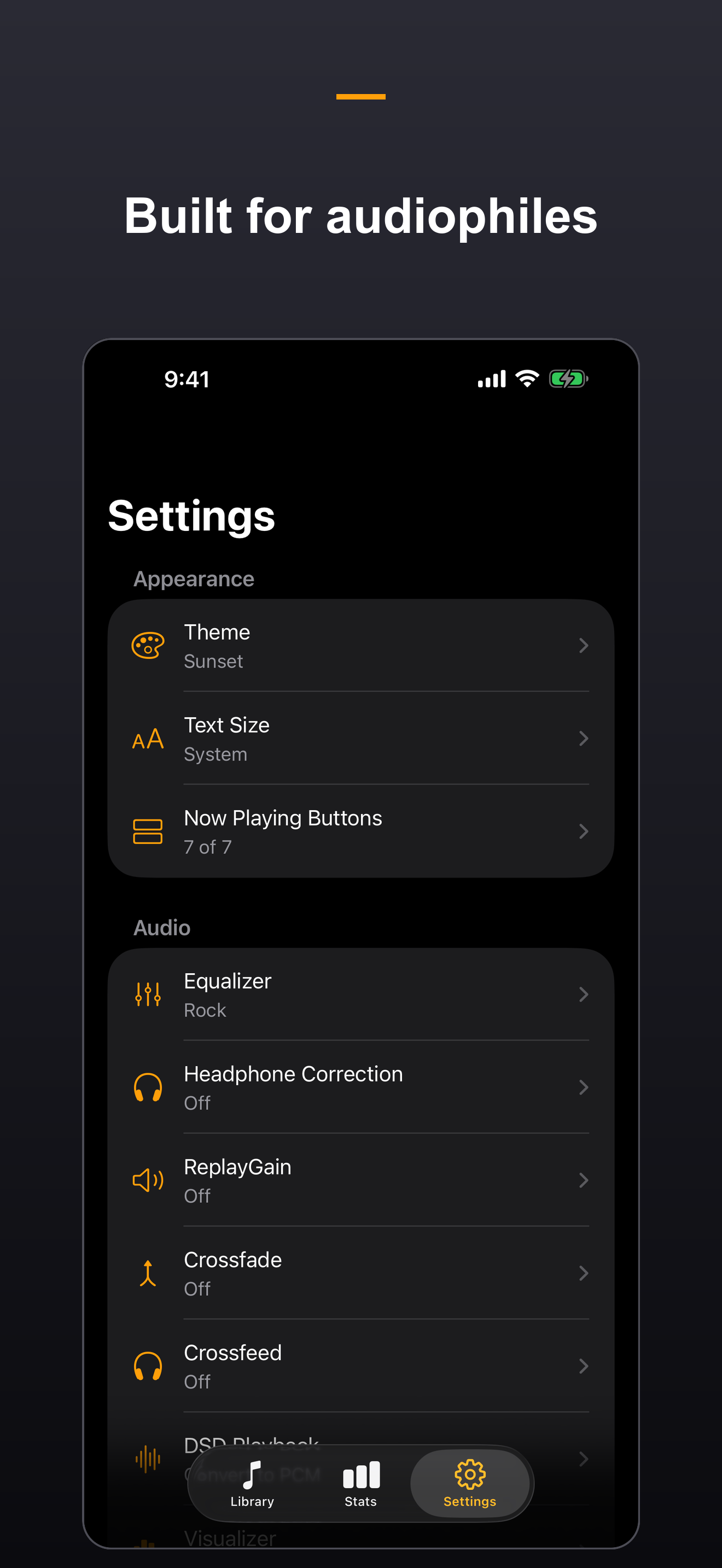
At the core is a custom AVAudioEngine pipeline built for bit-perfect output. PhaseShift plays FLAC, ALAC, WAV, AIFF, MP3, AAC and more up to 768kHz / 32-bit, handles native DSD (DSF/DFF) with DoP output, and confirms a no-resampling path straight to your DAC. Gapless playback, crossfade, a 10-band graphic EQ with a safety preamp, ReplayGain loudness matching, crossfeed, headphone correction, CUE sheet support and a sleep timer round out a player tuned for people who care how their music actually sounds.
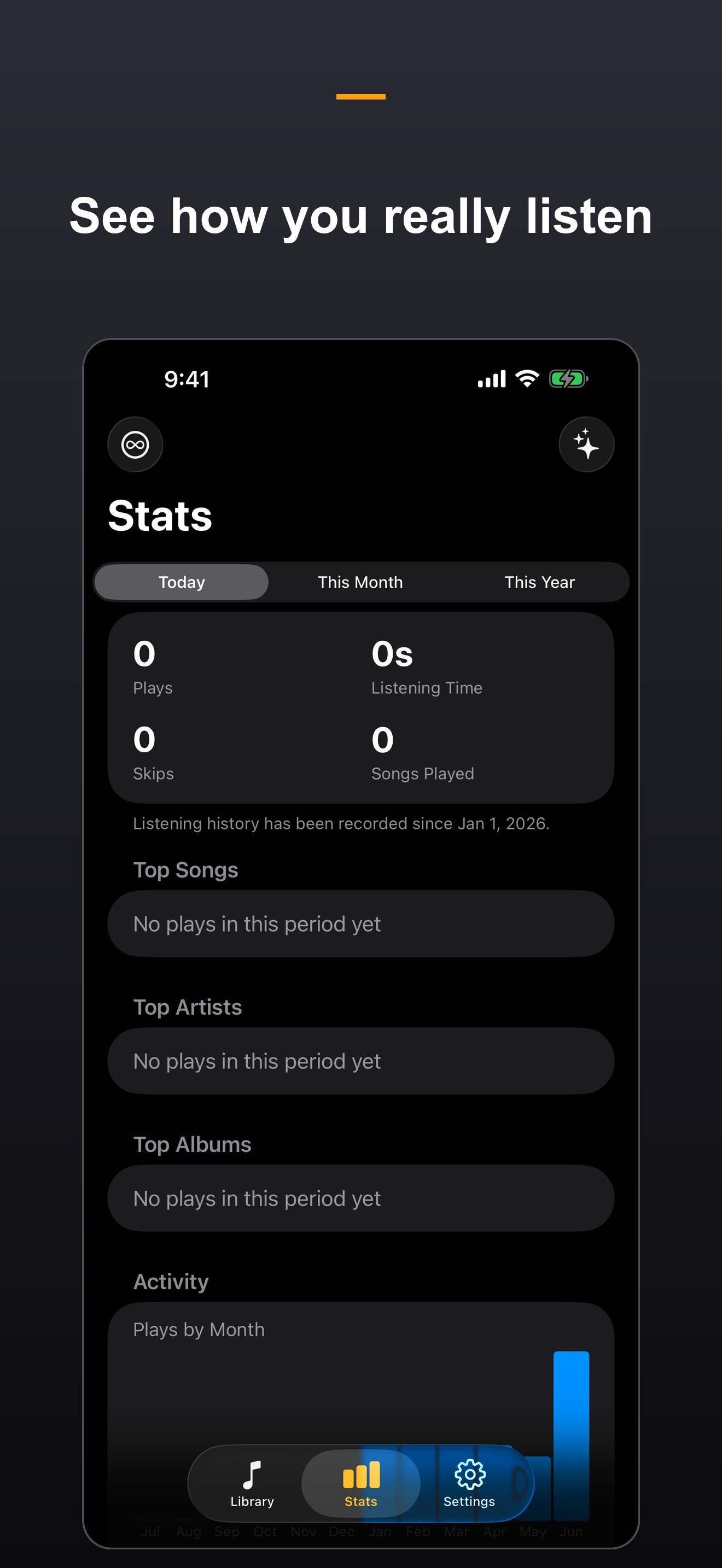
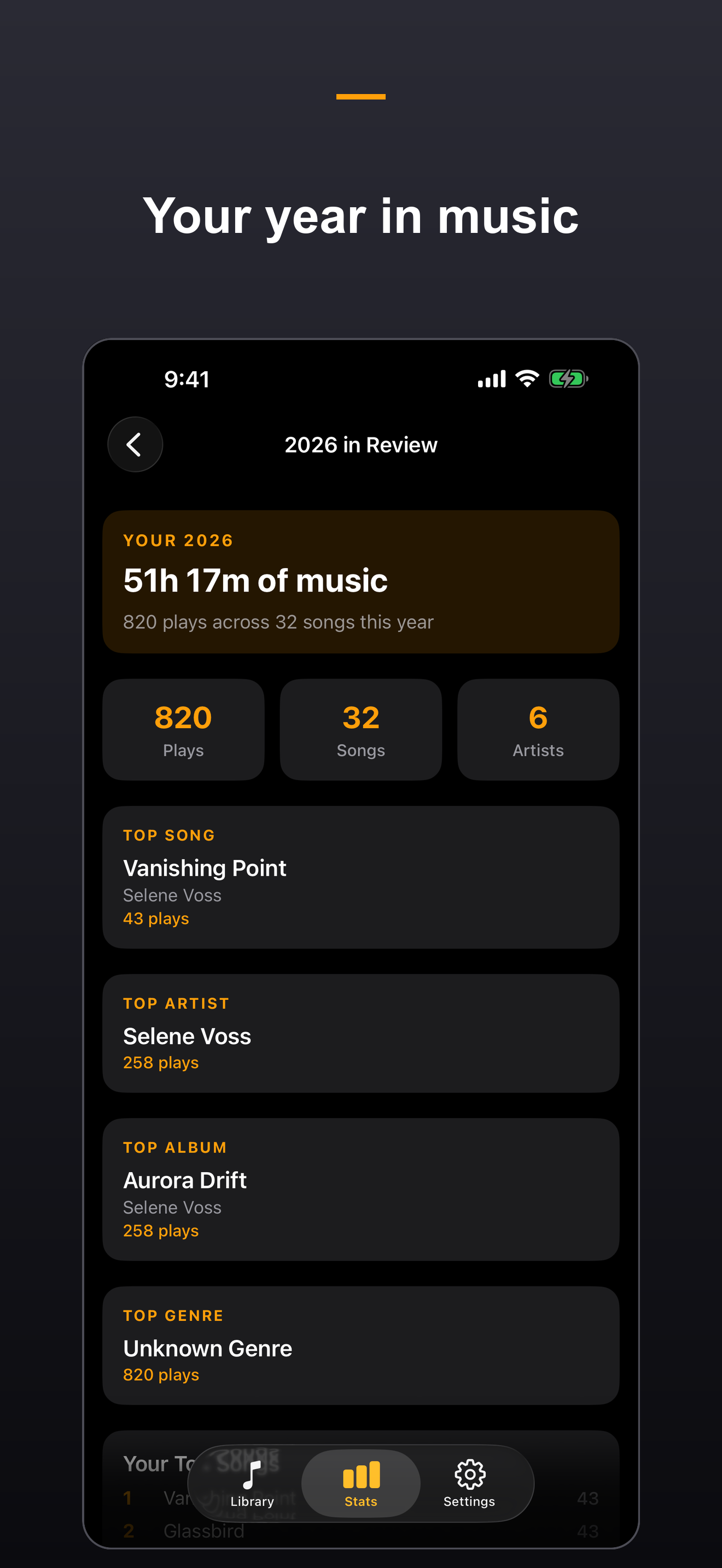
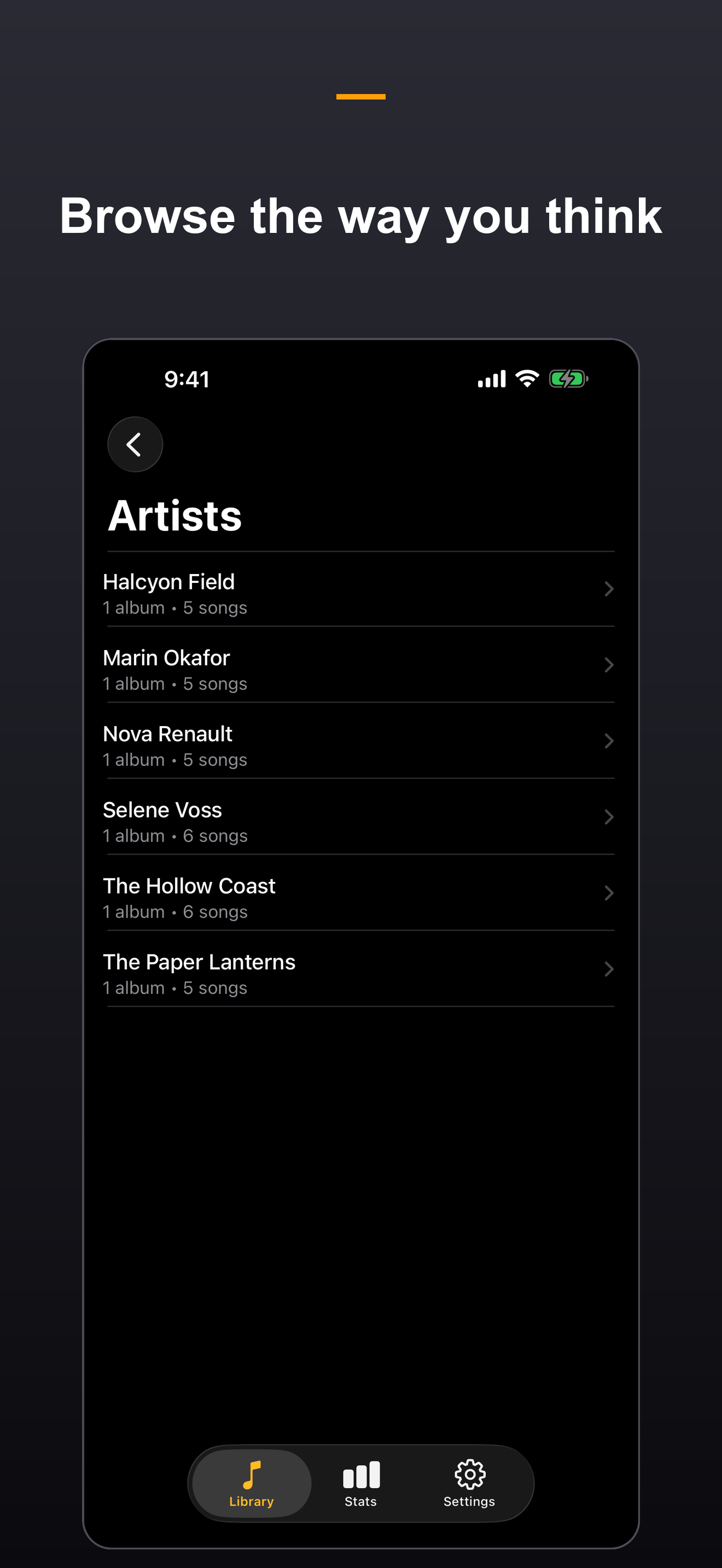
Around the player is a real music library: browse by songs, albums, artists, playlists and folders; preserve the folder structure you already use or let PhaseShift organize future imports by Artist/Album; build smart playlists with a full rule editor; import and export M3U and PLS; and keep ratings, play counts and listening history that feed private, on-device stats and a year-in-review. Desktop-class tag editing lets you fix ID3, MP4 and Vorbis/FLAC metadata — including batch edits and regex find-and-replace across hundreds of files — and write changes straight back into your files.
Your music stays yours. Wi-Fi Transfer brings in individual files or entire folder trees from any browser on your network, WebDAV and SMB import reach your network drives, and Mac users can either copy music into PhaseShift or play it in place from its existing folder. A unified Music Folder browser labels copied and referenced items, while reconnection and full-rescan tools keep external libraries available. Encrypted, paired Library Sync moves your collection, artwork, playlists, ratings and history between your own devices. In PhaseShift 1.5, each sub device can mirror the whole library or only selected artists and playlists, with its own preferred audio-quality tier. Full backup and restore, AirPlay output and an Apple Watch companion finish the picture. PhaseShift collects nothing — there are no analytics, no advertising identifiers and no accounts, and network access is used only for the features you turn on, always encrypted and gated by a PIN or pairing code.
Core Features
True Hi-Res, Bit-Perfect Playback
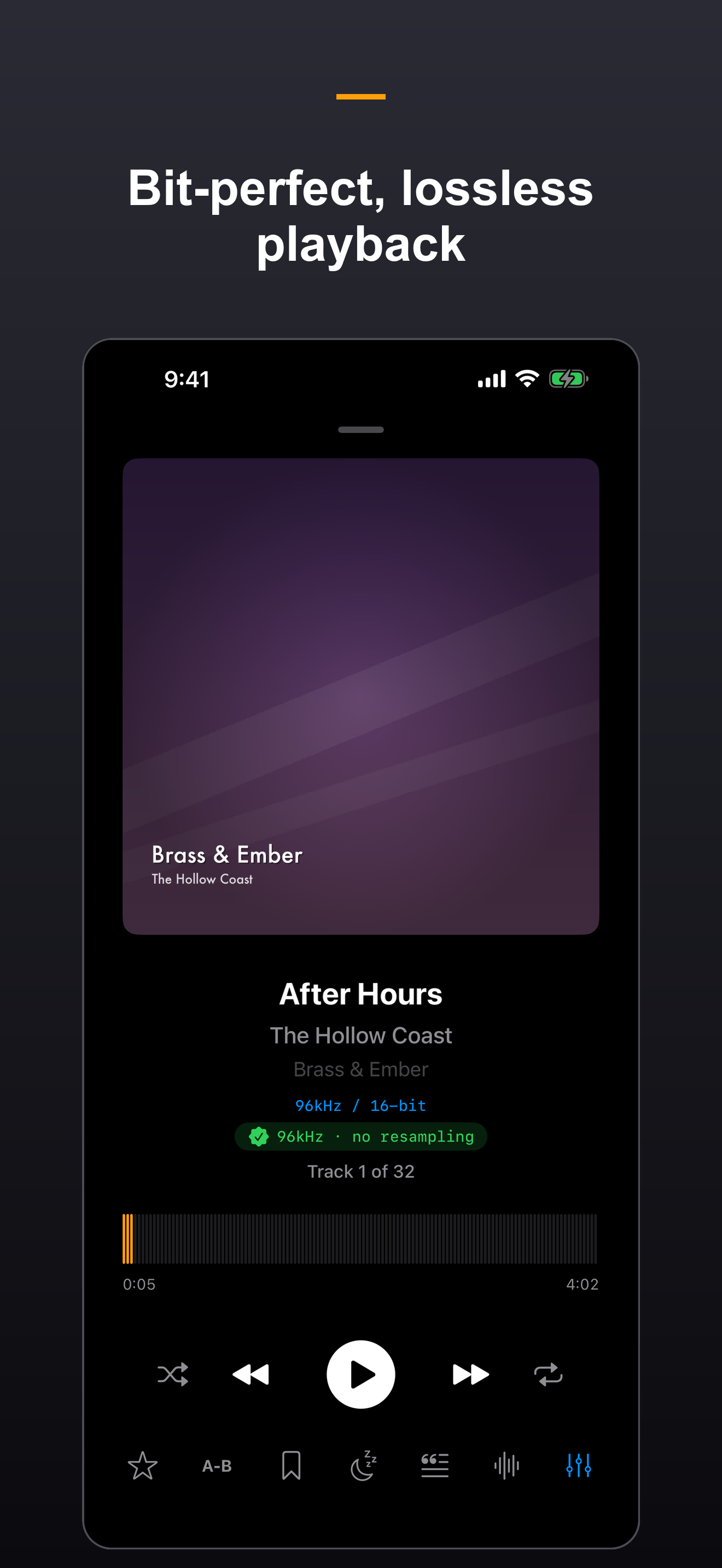
A custom AVAudioEngine pipeline plays FLAC, ALAC, WAV, AIFF, MP3, AAC and more up to 768kHz / 32-bit. A "no resampling" badge confirms a bit-perfect path to your DAC, and a real waveform scrubber, gapless transport, A-B repeat, bookmarks, a sleep timer, lyrics and a live spectrum are always a tap away.
Native DSD & Audiophile Output
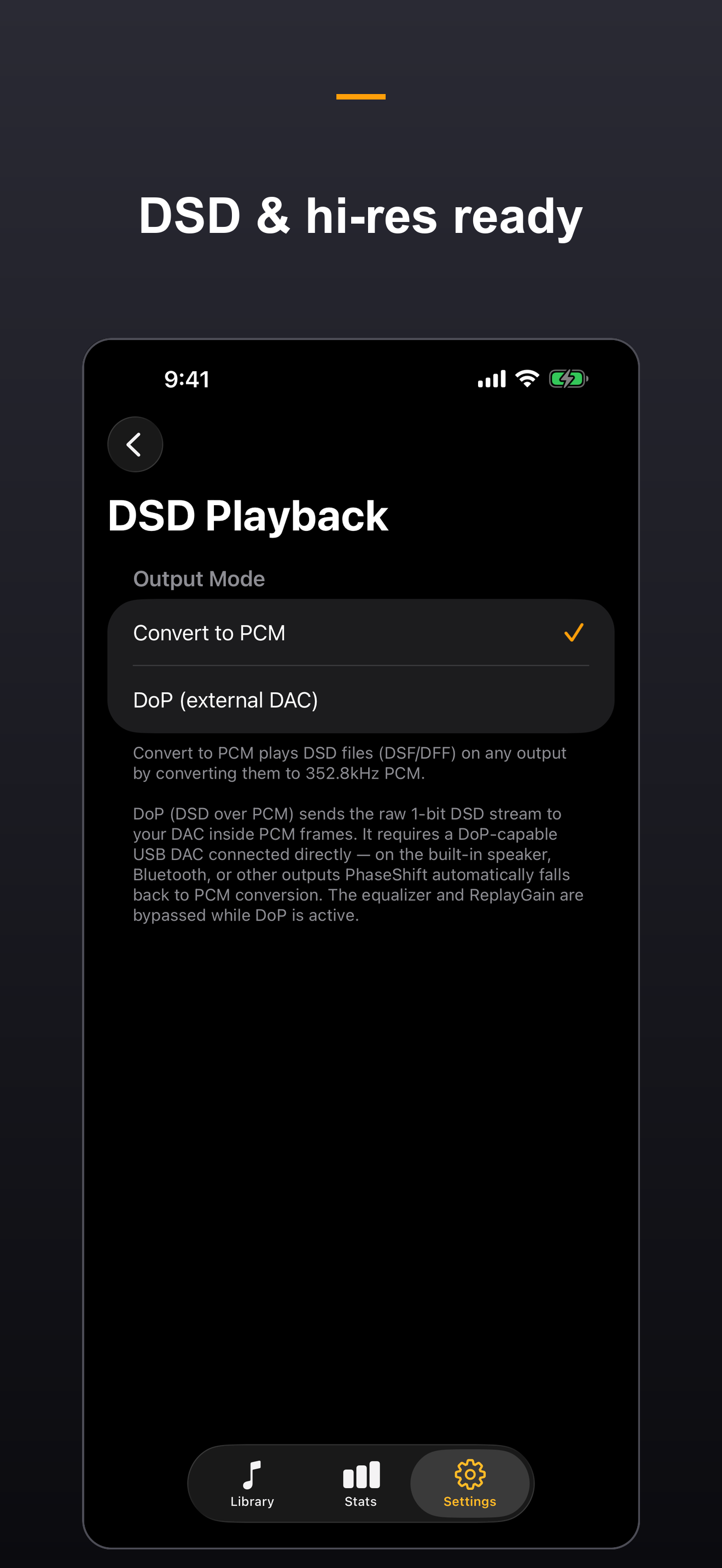
PhaseShift handles DSD (DSF/DFF) alongside hi-res PCM. Convert DSD to PCM for any output, or send the raw 1-bit stream straight to a DoP-capable USB DAC for native playback. AirPlay output, crossfeed for natural headphone staging and headphone correction profiles tailor the sound to your gear.
Multi-Band EQ & ReplayGain
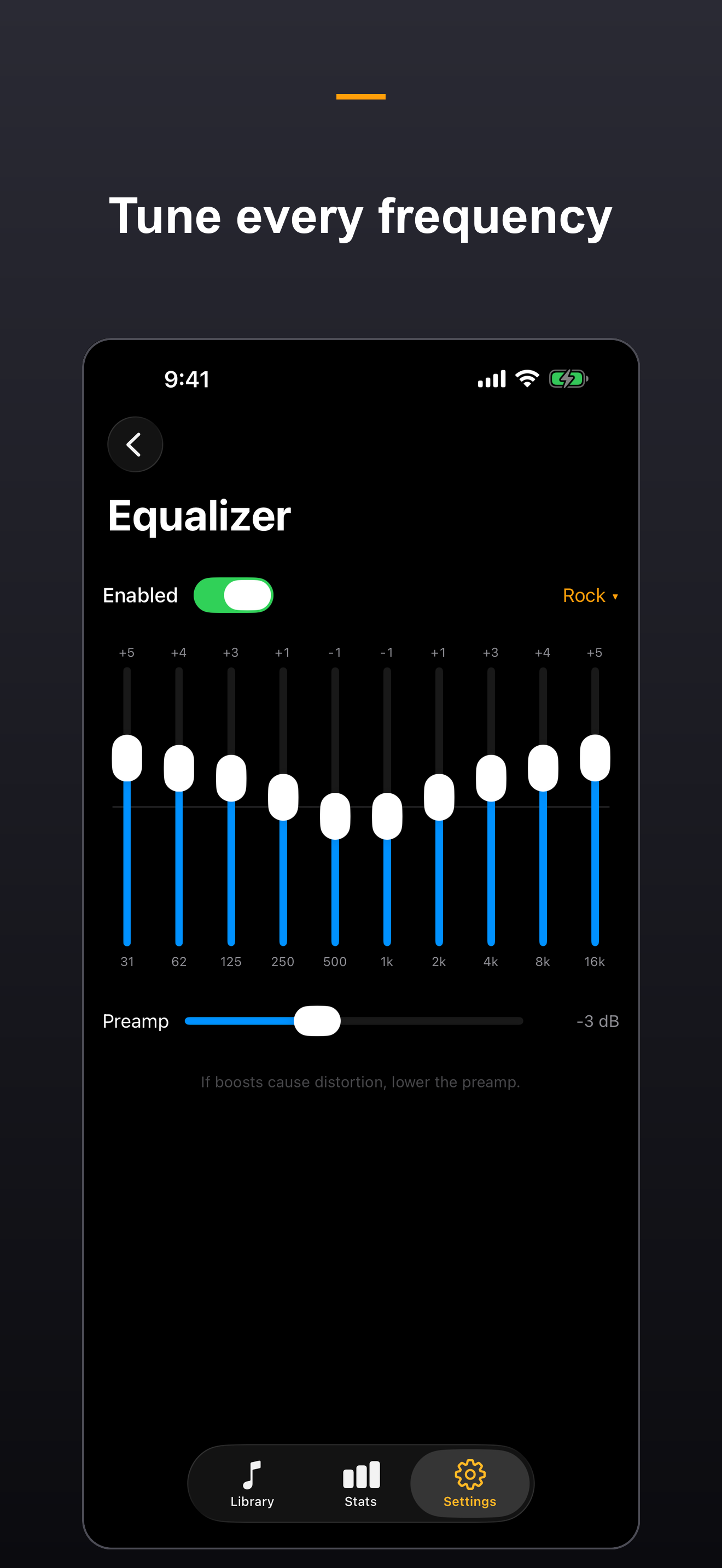
A precise 10-band graphic equalizer with ready-made presets and a safety preamp tames boosts without clipping, applied in real time to lossless audio. Built-in ReplayGain loudness scanning keeps volume consistent across your whole library, with gapless crossfade for seamless transitions.
A Real Music Library
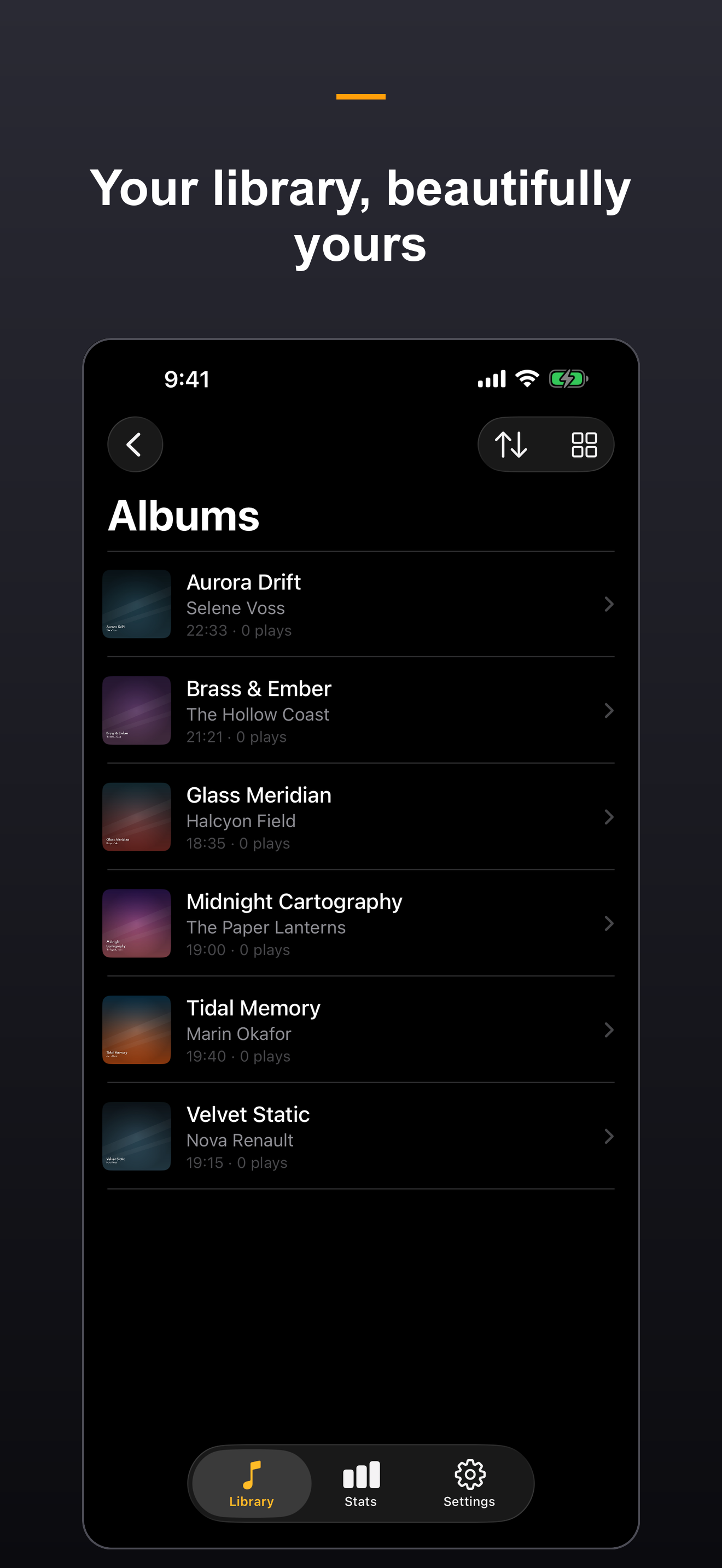
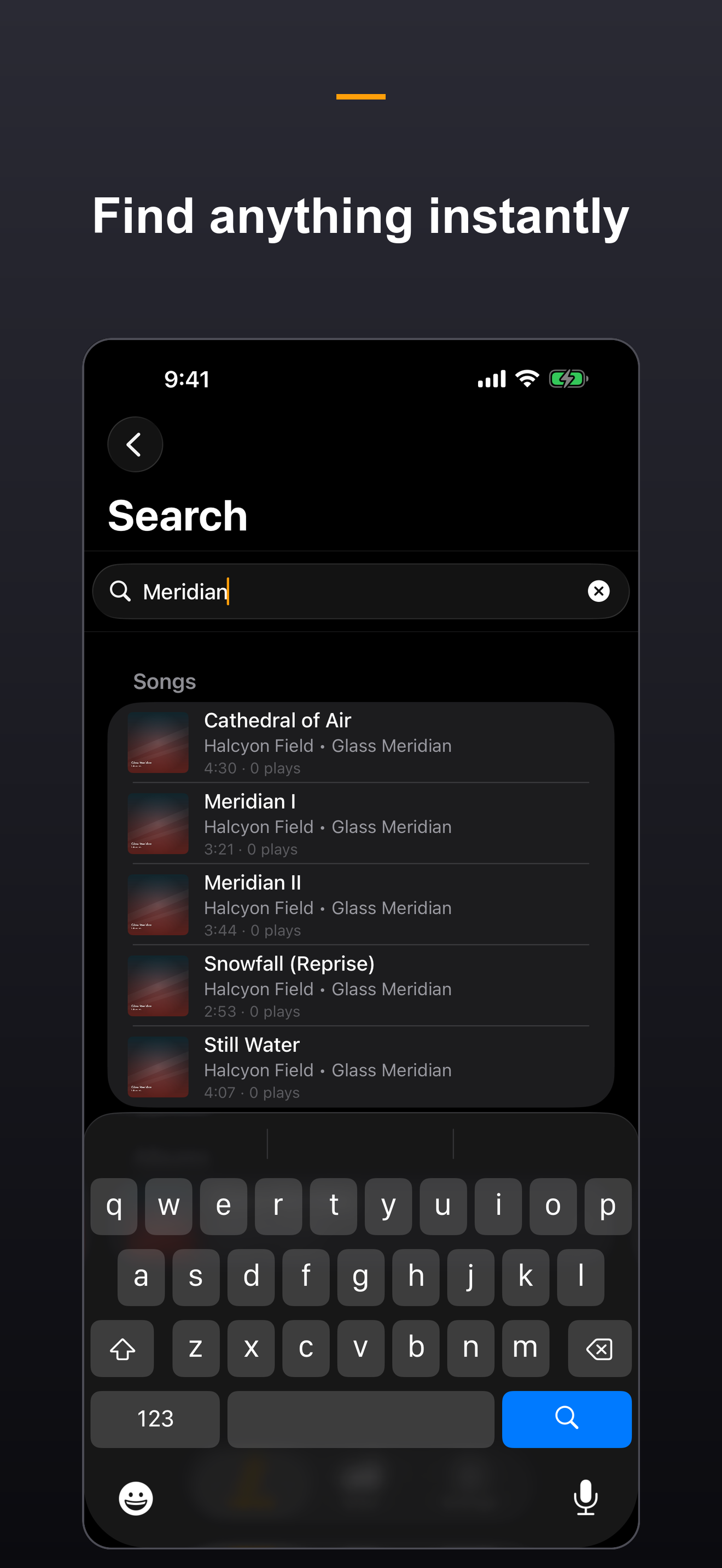
Browse by songs, albums, artists, playlists and folders, with full-resolution cover art and fast, fuzzy, fully-offline search. Customize the Library tab with album, song, pinned and recently added shelves, then choose artwork sizes that fit your collection. Sort album tracks by embedded disc and track order, natural filename or title in either direction.
Desktop-Class Tag Editing
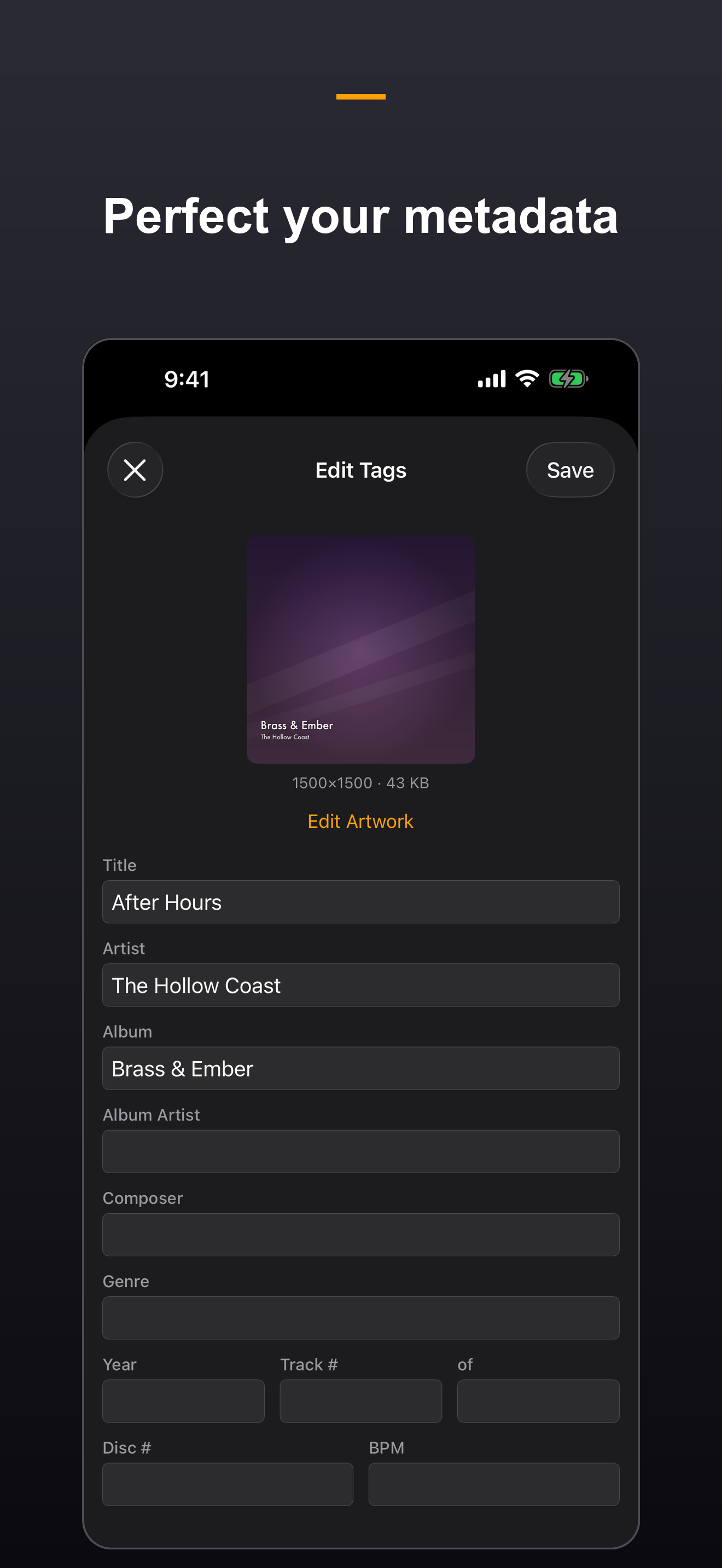
Edit ID3v2.3/2.4, MP4 and Vorbis/FLAC tags right on your device and write changes straight back into your files. Batch-edit hundreds of tracks at once, run find-and-replace with regular expressions and capture groups, and manage embedded artwork — cleaning up a whole collection in seconds.
Your Devices, Your Network
Wi-Fi Transfer brings in files or complete folder trees from any browser on your network, while WebDAV and SMB reach network drives. Encrypted Library Sync mirrors original songs, artwork, playlists, ratings, play history and tag changes between paired devices. In v1.5, each sub device can receive the whole library or selected artists and playlists, filtered by Lossy, Lossless, Hi-Res Lossless or DSD quality without transcoding the originals.
Hear Your Music the Way It Was Recorded
A private, offline hi-fi player for FLAC, ALAC, WAV and DSD — with the library tools you thought you needed a desktop for.
Download on App StorePrivate by Design
PhaseShift collects nothing. There are no analytics, no advertising identifiers and no accounts. Your music and listening history never leave your device unless you choose to move them between your own devices, and network access is used only for the features you turn on — always encrypted and gated by a PIN or pairing code.
Even the optional AI metadata enrichment respects that boundary: it runs on your own computer, and the app itself never contacts any online service. PhaseShift works on iPhone, iPad and Mac with free core playback and library management. An optional one-time PhaseShift Pro purchase unlocks advanced features; there is no subscription.
What's New in v1.5
PhaseShift 1.5 gives you more control over your library, Now Playing screen and device sync.
- Choose whether each sub device receives the whole library or only selected artists and playlists
- Use a redesigned sync setup with clearer device roles, audio quality, transfer size and live progress; catalog-based syncing improves speed and reliability for large libraries
- Customize the Library tab with album, song, pinned and recently added shelves, plus adjustable album-artwork sizes
- Tap a song title or artist in Now Playing to explore track details, artist information, albums and songs
- Import multiple playlist files at once and find sources, metadata tools, playback options and Library Sync more easily in reorganized Settings
- More flexible Now Playing controls, more resilient playback when files or sources change, and improvements to artwork transfer, storage handling, cleanup and library maintenance
Library Sync transfers original files that match both the selected artists or playlists and the chosen quality tier. It does not transcode music, and a sync removes local songs that no longer belong to that sub device’s selection.
From the Blog
Sync Selected Artists and Playlists with PhaseShift 1.5
PhaseShift 1.5 lets each sub device sync a whole private music library or only selected artists and playlists, with its own audio-quality filter.
Read article →Music LibrariesSync Music by Audio Quality Across iPhone, iPad, and Mac with PhaseShift 1.3
PhaseShift 1.3 lets each sub device sync Lossy, Lossless, Hi-Res Lossless, DSD, or every original song from a private primary library.
Read article →Music LibrariesFix Album Track Order in PhaseShift v1.2.7
PhaseShift v1.2.7 reads track and disc tags from MP3, FLAC, Ogg and DSD files, then safely repairs album order without changing audio files.
Read article →Music LibrariesSort Album Tracks by Tags, Filename, or Title in PhaseShift v1.2.6
PhaseShift v1.2.6 adds persistent album-track sorting, including a numbered-filename fallback for FLAC and other music files with missing track tags.
Read article →Music LibrariesPlay a Mac Music Library in Place with PhaseShift v1.2.4
PhaseShift v1.2.4 can play a Mac music library from its existing folder, avoiding duplicate copies while keeping originals under your control.
Read article →How-ToHow to Import Music Folders into PhaseShift on macOS
Learn how to import a music folder into PhaseShift on Mac using the Music Folder browser, Wi-Fi Transfer, or Import Folder, and choose how new files are organized.
Read article →
Hear Your Music the Way It Was Recorded
A private, offline hi-fi player for FLAC, ALAC, WAV and DSD — with the library tools you thought you needed a desktop for.
Download on App Store Privacy Policy