See It in Action
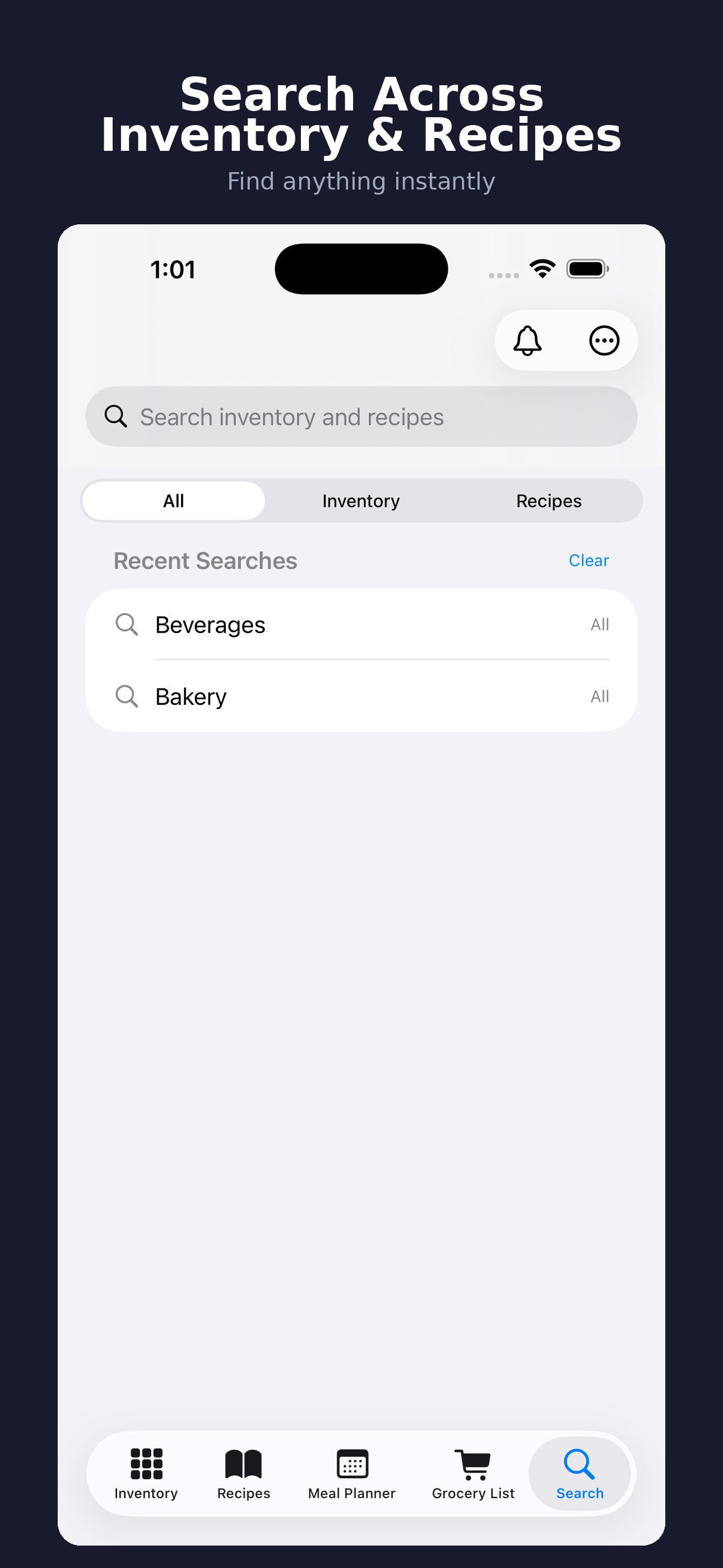
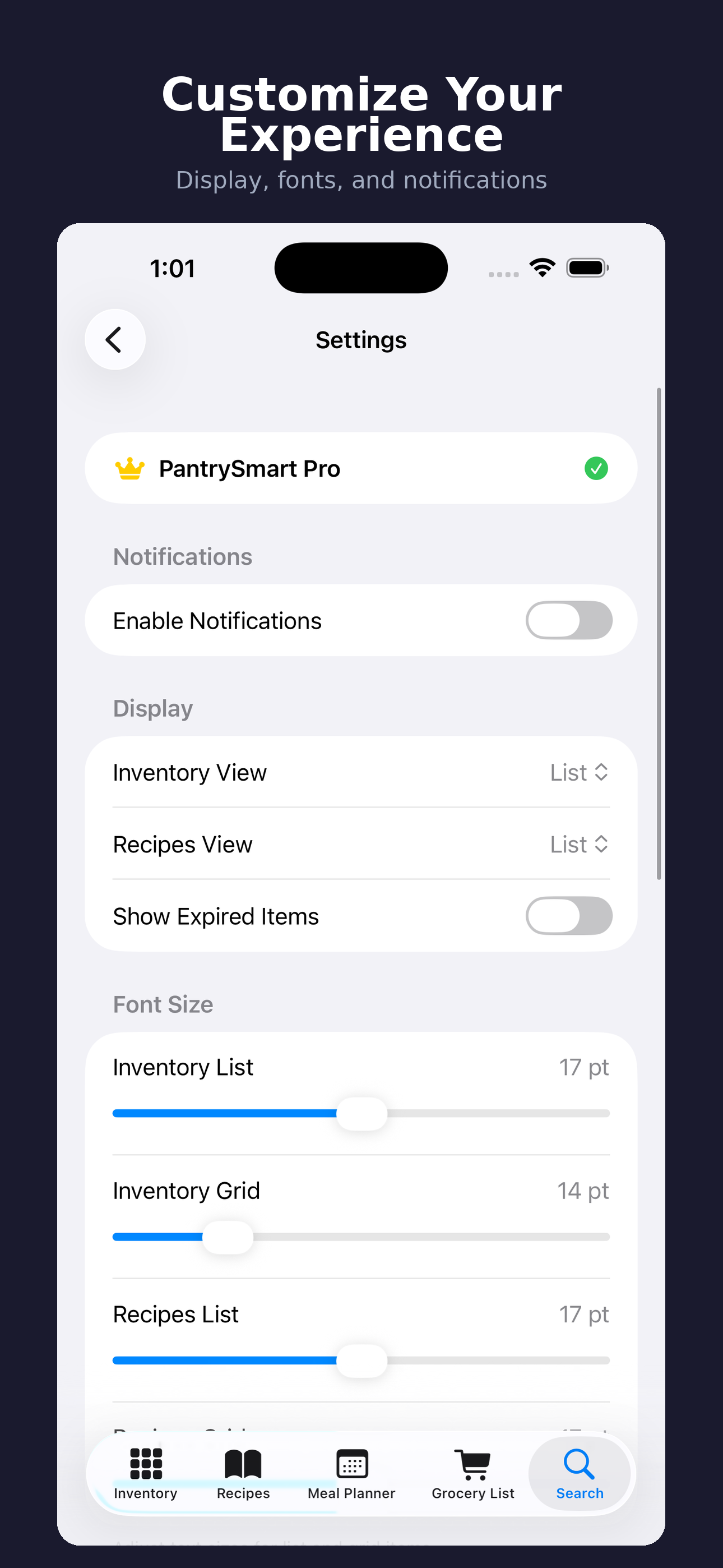
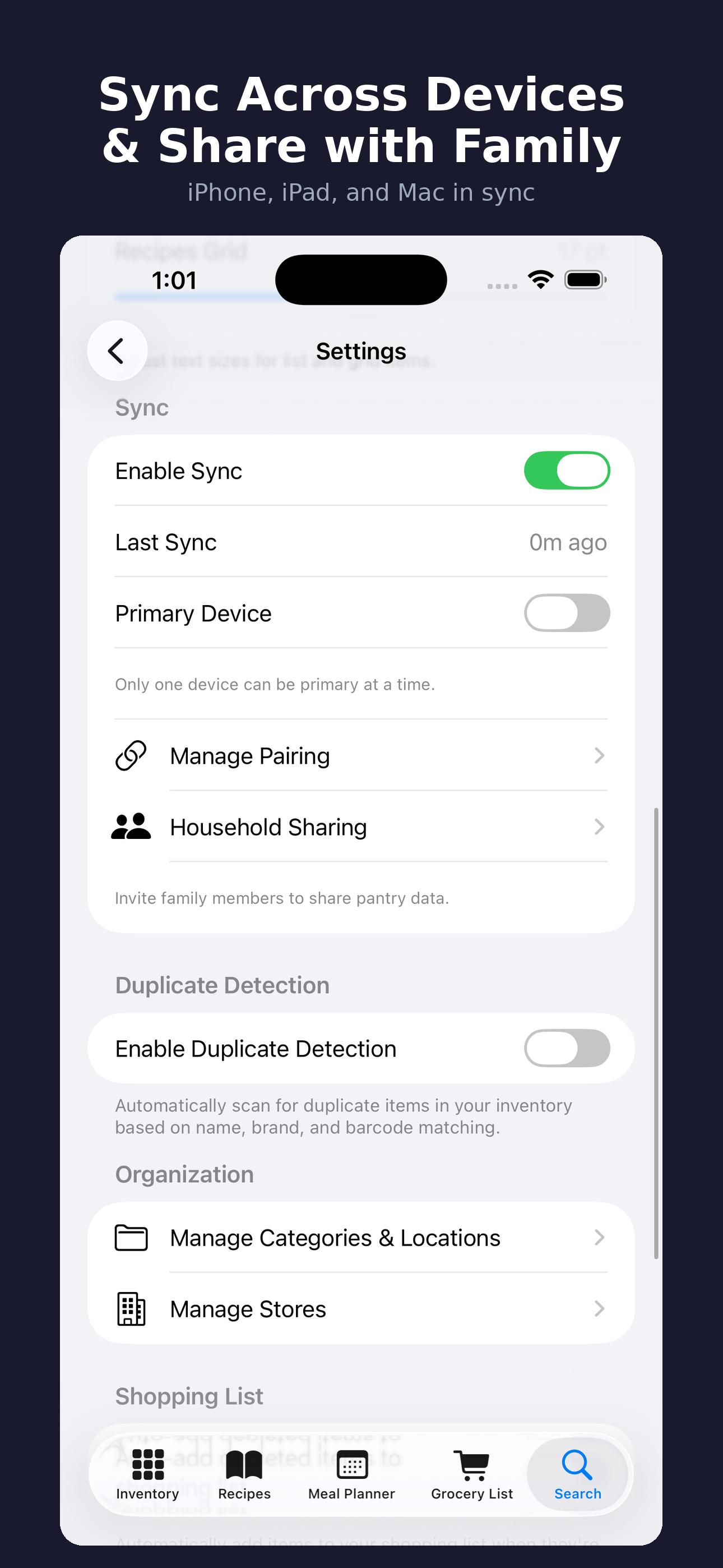
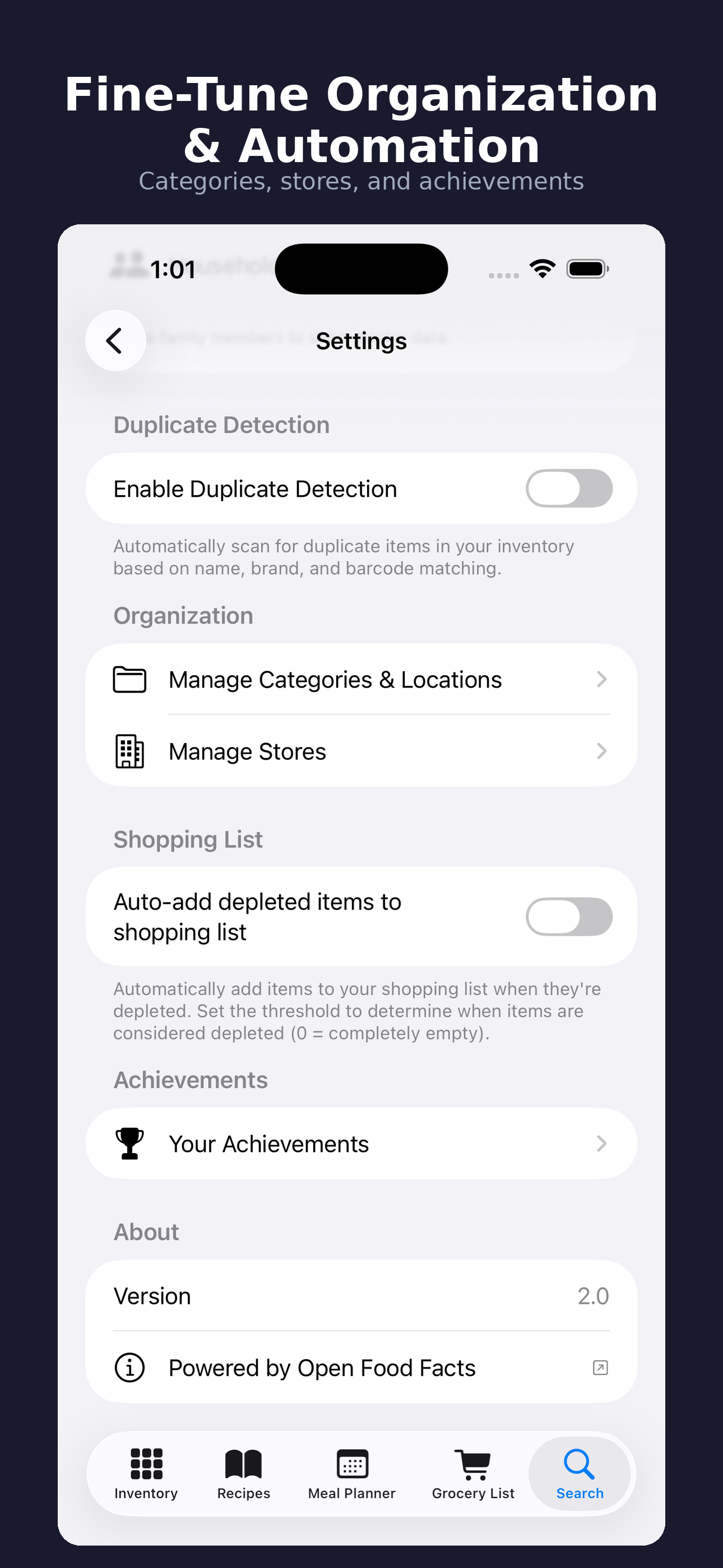
About PantrySmart
PantrySmart helps you waste less food, shop with more confidence, and keep your kitchen organized with inventory tracking, expiration alerts, meal planning, recipe ideas, grocery tools, backups, and sync.
Version 3 centers the app around a faster Today dashboard. Open PantrySmart and immediately see expired food, items expiring soon, low-stock staples, the next planned meal, and use-it-up recipe ideas. Quick actions put adding an item, reviewing expiring food, checking low stock, opening the grocery list, finding recipes, managing categories, exporting data, reviewing sync, and resolving conflicts within reach.
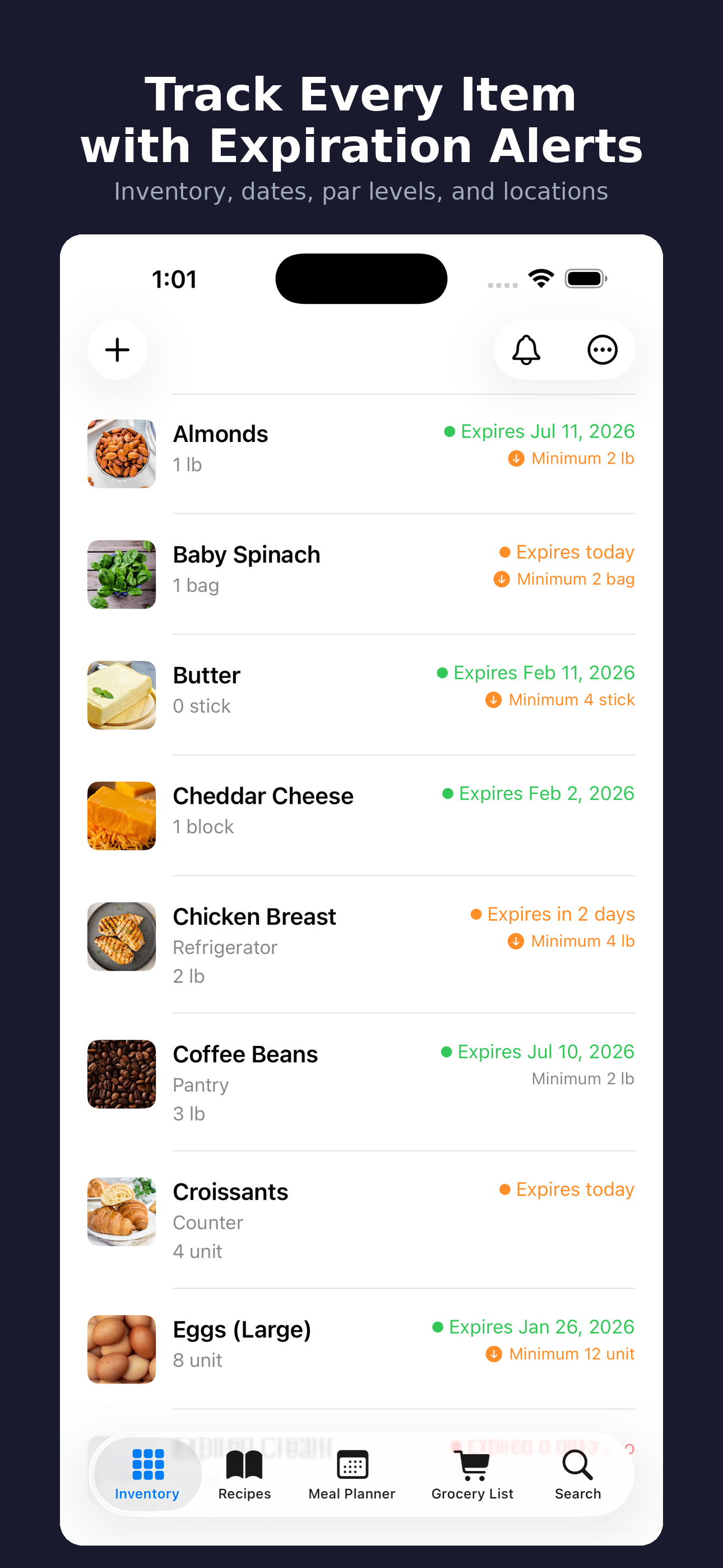
Track pantry, fridge, freezer, and household staples with quantities, photos, expiration dates, categories, storage locations, tags, and notes. PantrySmart highlights items that are expired, expiring soon, opened, frozen, low stock, recently added, or missing details, so food that needs attention is easier to find before it gets forgotten.
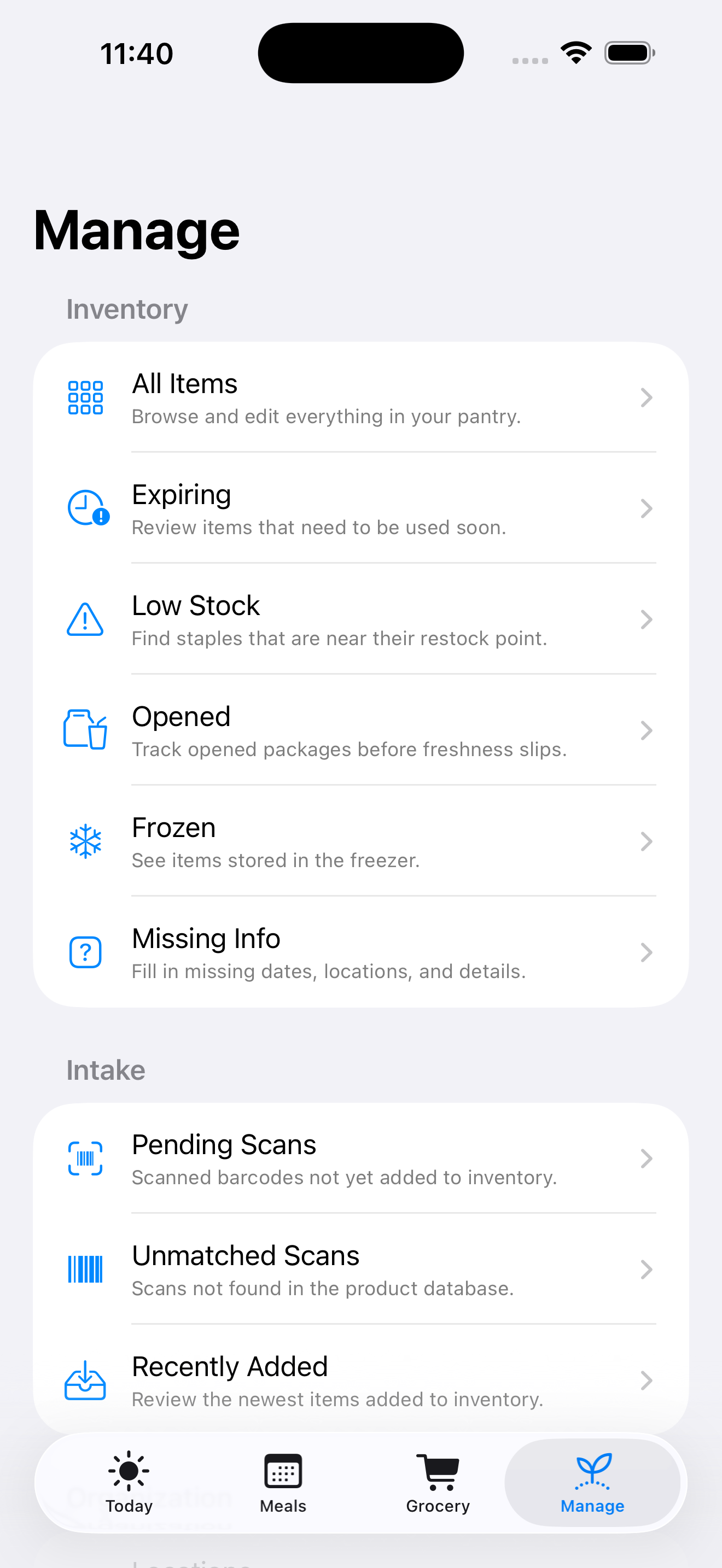
Meals, grocery, and organization each have a clearer home in v3. Meals brings planning, recipes, use-it-up ideas, leftovers, collections, cooking reminders, and cooked meal tracking together. Grocery supports templates, store and section organization, checked-item review, and add-to-pantry flows for purchased items. Manage is now a dedicated hub for inventory views, scan history, categories, locations, tags, units, activity, sync, imports, exports, price history, waste logs, backups, achievements, and statistics.
Core Features
Today Dashboard
Start with the food and tasks that need attention now: expired items, upcoming expirations, low staples, the next planned meal, use-it-up recipe ideas, and quick actions for common pantry, grocery, meal, category, export, activity, and sync workflows.
Detailed Inventory Tracking
Track pantry, fridge, freezer, and household staples with quantities, photos, expiration dates, categories, storage locations, tags, notes, custom units, restock rules, opened and frozen states, and missing-detail review.
Meals, Recipes & Cook Mode
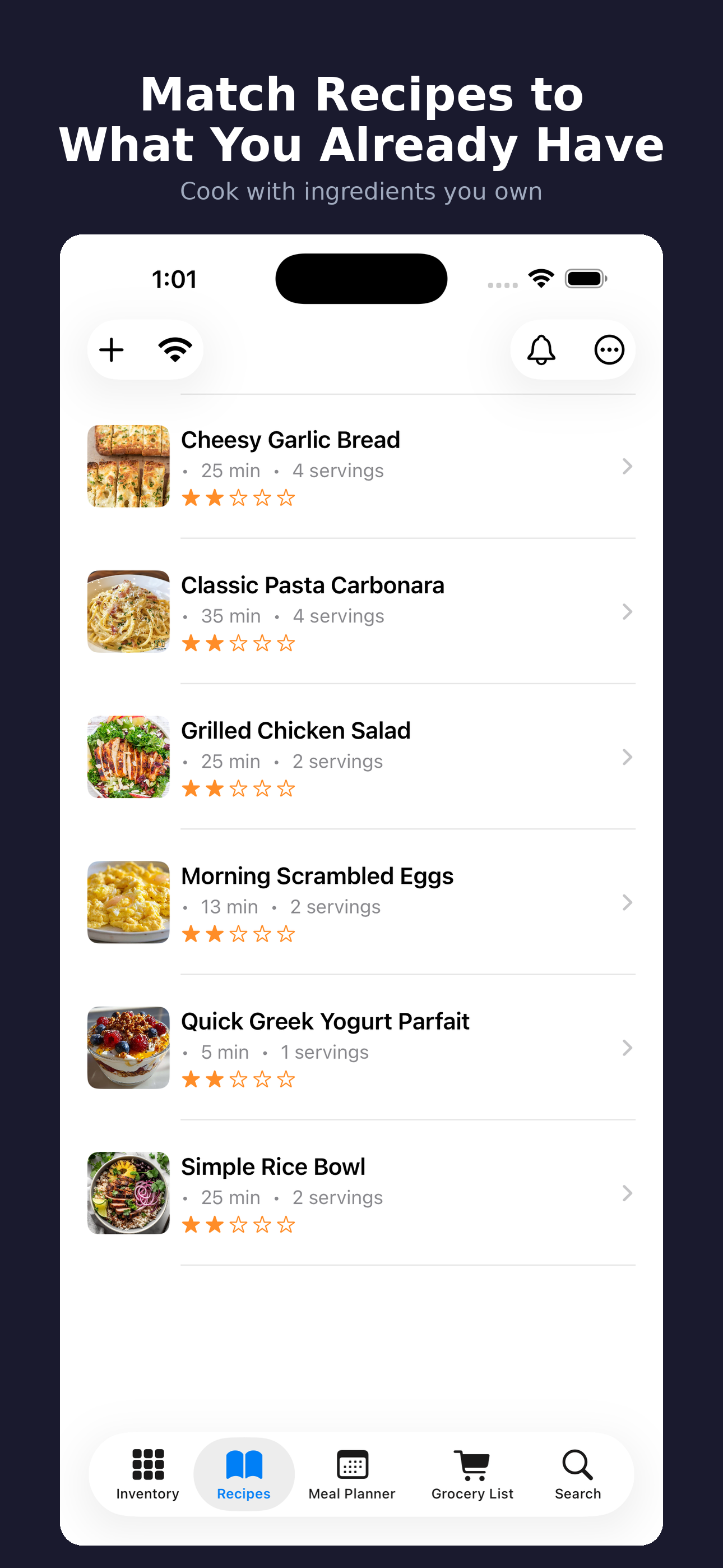
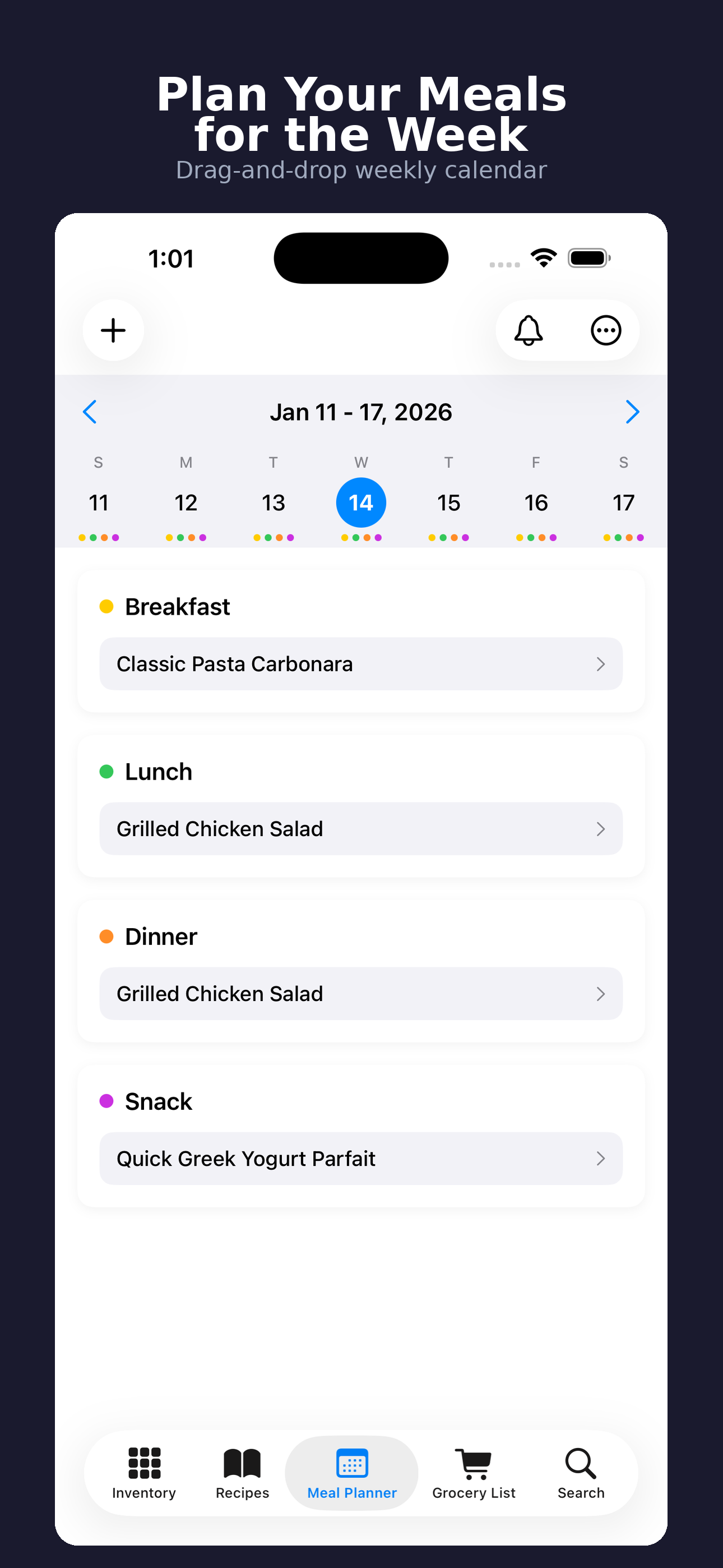
Plan meals around what you already have, save recipes, review use-it-up ideas, manage leftovers, organize recipe collections, follow cooking reminders, and deduct ingredients from inventory when a planned meal is marked cooked.
Smarter Grocery Lists
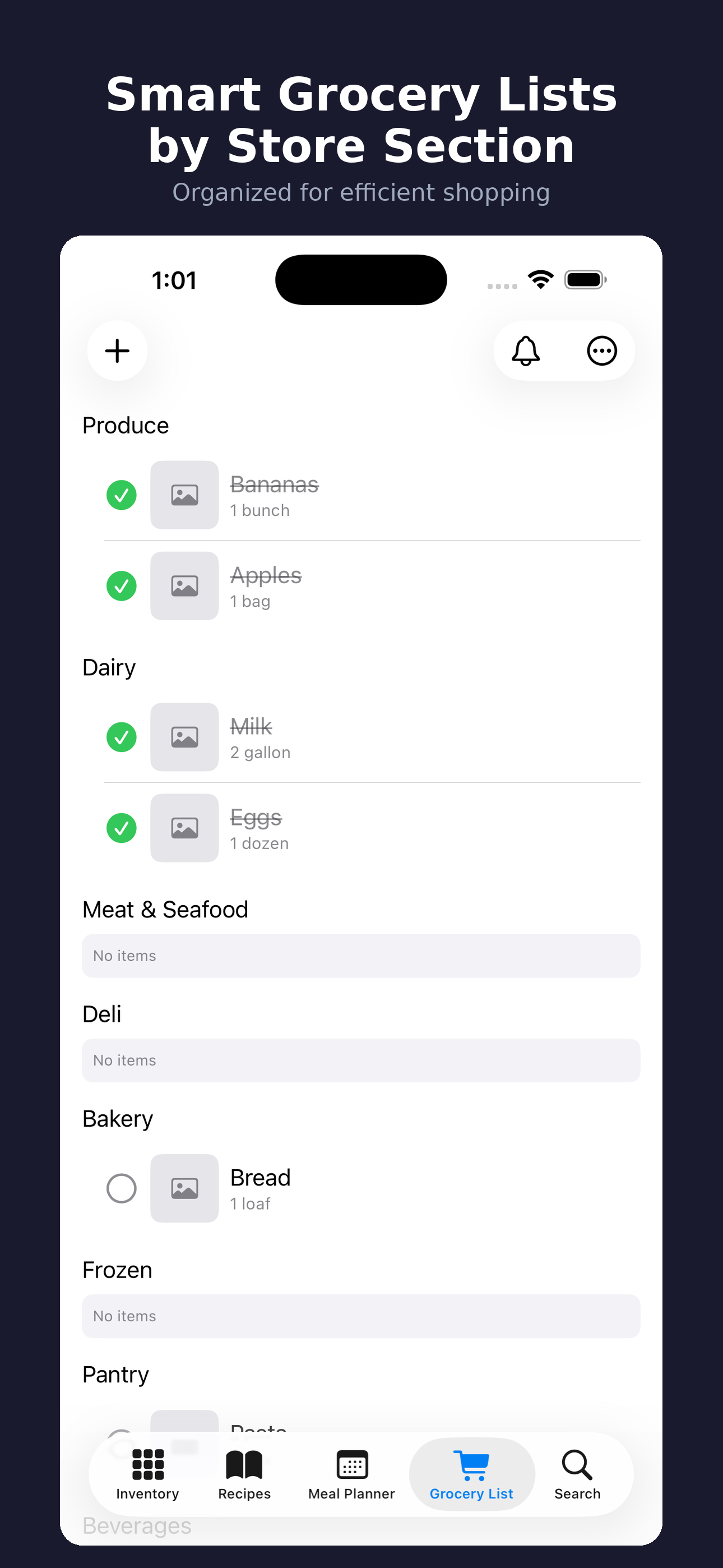
Build grocery lists from recipes, restock needs, pantry items, or manual entries. Organize by store section or store, check items off while shopping, save recurring lists as templates, and add purchased items back into your pantry.
Insights, Prices & Waste Logs
Understand what you have, what you use, and what gets wasted. Log food usage and waste, review consumption trends, track grocery prices, manage price history, export reports, and use restock rules to keep staples from running out.
Backups, Sync & Migration
Create full PantrySmart backup packages for app data and related files, restore from backups, review sync activity, resolve conflicts, audit household data changes, and move existing PantrySmart data forward through v3 migration coverage.
Widgets & Pro Growth
Start with the free app, then upgrade to PantrySmart Pro for unlimited items and recipes, meal planning, batch entry, household sharing tools, and expiring-item widgets for the Home Screen and Lock Screen.
Use More of the Food You Buy
Track your kitchen, plan around what is already there, shop with a better list, and keep PantrySmart backed up across iPhone, iPad, and Mac.
Download on App StorePantrySmart v3 Tools
Today
Daily dashboard for expired items, expiring food, low staples, next meal, ideas, and quick actions.
Inventory
All-item pantry, fridge, freezer, opened, frozen, low-stock, recent, missing-detail, and location-based views.
Barcode Scanning
Product lookup, scan history, barcode cache management, and faster inventory entry.
Item Details
Quantities, photos, dates, category, location, tags, notes, nutrition, minimum quantity, and reorder quantity.
Meals
Meal planning, saved recipes, use-it-up ideas, leftovers, collections, reminders, and cooked meal tracking.
Cook Mode
Step-by-step cooking with progress, voice controls, next-step navigation, and ingredient deduction support.
Grocery Lists
Shopping lists built from recipes, restock rules, pantry items, or manual entries.
Grocery Templates
Reusable lists for recurring trips and staples, organized by store or section.
Add to Pantry
Move purchased grocery items back into inventory when a shopping trip is done.
Manage Hub
One place for organization, inventory views, activity, sync, imports, exports, and maintenance tools.
Waste Logs
Food usage and waste logging with trends and exportable reports.
Price History
Track grocery prices, store item costs, and review price history over time.
Rules & Automation
Restock rules, categories, locations, tags, units, duplicate detection, and household organization.
Backup Packages
Full backup and restore support for PantrySmart data and related files.
Widgets
Home Screen and Lock Screen widgets keep expiring items visible outside the app.
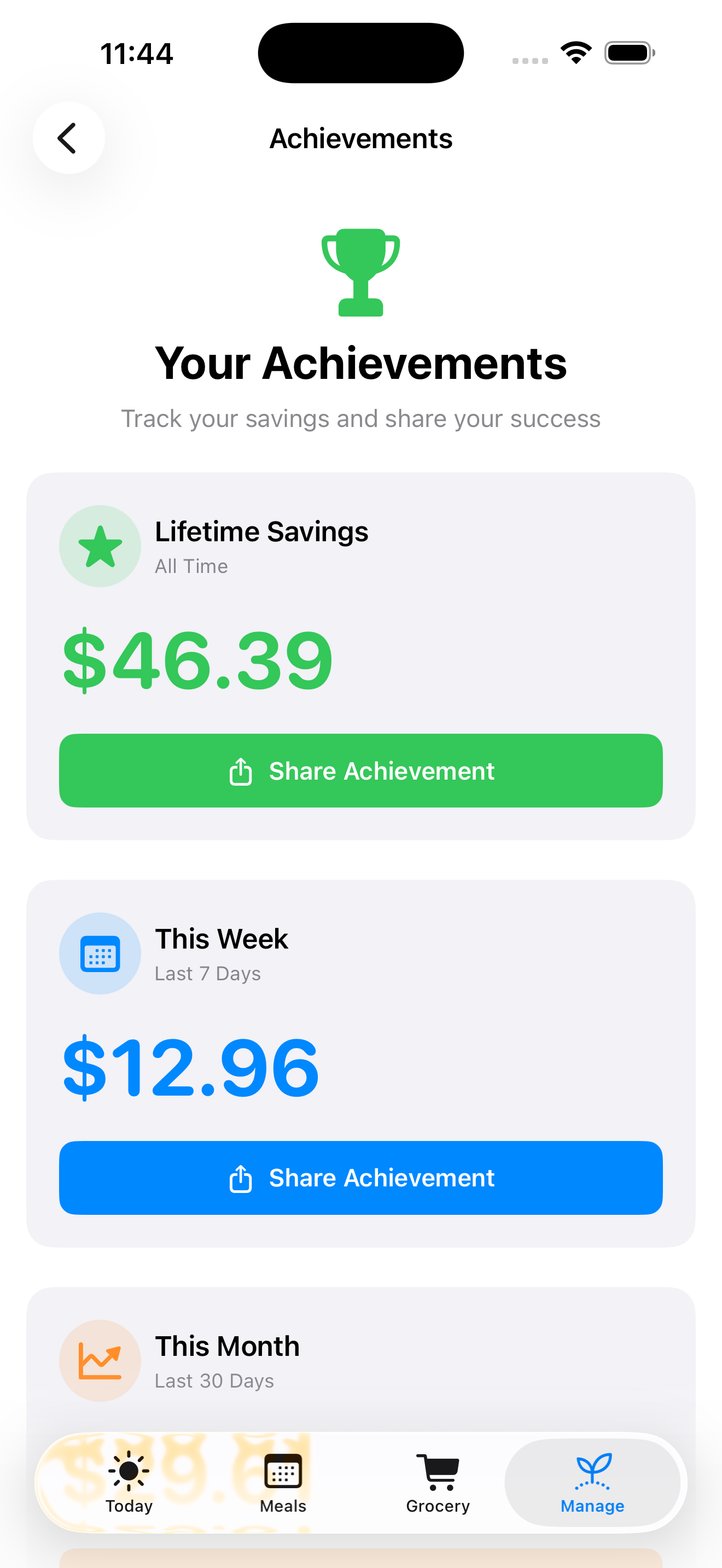
Achievements
Savings and food-waste progress stats with shareable achievement actions.
What Changed in v3
PantrySmart 3.0 introduces a new tab structure: Today for daily decisions, Meals for cooking and planning, Grocery for shopping, and Manage for back-office organization.
The Today dashboard is the main v3 workflow. It surfaces expired food, upcoming expirations, low staples, the next planned meal, and use-it-up ideas, then pairs those signals with shortcuts for the actions people take most often.
Meals, Grocery, and Manage were reorganized so planning, shopping, inventory maintenance, sync, imports, exports, price history, waste logs, backups, achievements, and statistics are easier to scan and reach.
Built Around the Food You Already Bought
PantrySmart combines inventory, recipes, meal plans, grocery lists, and leftovers so each workflow can inform the next. Planned meals can become shopping needs, cooked meals can deduct ingredients, and leftovers can return to future meal plans.
Use-it-up ideas focus attention on food before it becomes waste. Expiring and expired views separate what needs to be used soon from what already needs review, while restock rules and low-stock checks keep important staples from running out.
Organization for Real Kitchens
Larger households and serious pantry organizers can manage custom units, categories, locations, tags, duplicate detection, scan history, barcode cache cleanup, imports, exports, and full backup packages from the Manage hub.
Sync activity, conflict review, setup modes, audit records, and migration coverage help keep data understandable as PantrySmart moves from earlier versions into the v3 data model.
Free to Start, Pro When You Need More
PantrySmart is free to try for everyday pantry tracking. PantrySmart Pro is a one-time $4.99 upgrade for people who want to go deeper with unlimited items and recipes, meal planning, batch entry, household sharing tools, widgets, and richer organization workflows.
The point of the upgrade is simple: keep the app useful for a quick kitchen setup, while giving larger households and serious meal planners room to manage the whole system without subscription pressure.
What's New in v3.0
New Today Dashboard
Open the app to expired items, expiring food, low staples, your next planned meal, use-it-up recipe ideas, and fast quick actions.
Clearer Tab Layout
Today, Meals, Grocery, and Manage now separate daily decisions, cooking, shopping, and organization more clearly.
Expanded Meals and Grocery
Meals now groups planning, recipes, use-it-up ideas, leftovers, collections, reminders, and cooked meal tracking. Grocery adds templates, store organization, checked-item review, and add-to-pantry flows.
Backups, Sync and Migration
Version 3 adds full backup and restore packages, improved local sync actions, activity history, conflict review, audit records, and stronger migration coverage.
Pro Widgets and Growth Tools
PantrySmart Pro remains a one-time $4.99 upgrade for unlimited tracking, meal planning, batch entry, household tools, and expiring-item widgets.
From the Blog
PantrySmart v3: A Today Dashboard for Food That Needs Attention
PantrySmart v3 opens to a practical Today dashboard with expired items, upcoming expirations, low-stock staples, the next planned meal, use-it-up ideas, and quick actions.
Read article →Meal PlanningHow PantrySmart v3 Connects Meals, Grocery Lists, and Pantry Inventory
PantrySmart v3 reorganizes the app around Today, Meals, Grocery, and Manage so planning, cooking, shopping, and kitchen organization work together.
Read article →FeaturesPantrySmart v3 Adds Backups, Sync Review, Widgets, and a Better Pro Upgrade
Version 3 adds full backup packages, restore support, sync activity, conflict review, expiring-item widgets, and a one-time $4.99 PantrySmart Pro upgrade.
Read article →Food WasteHow to Stop Wasting Food at Home: A Practical Guide
The average US household wastes roughly 30% of the food it buys. Here are practical strategies to cut food waste, save money, and make the most of what you already have.
Read article →Meal PlanningMeal Planning on a Budget: How to Eat Well for Less
Meal planning is the single most effective way to cut your grocery bill. Here's a step-by-step approach that starts with what you already have.
Read article →Kitchen TipsThe Best Way to Track Expiration Dates on Your Phone
Stop relying on memory for expiration dates. Here's what to look for in a food tracking app and how the right one can save you money.
Read article →
Use More of the Food You Buy
Track your kitchen, plan around what is already there, shop with a better list, and keep PantrySmart backed up across iPhone, iPad, and Mac.
Download on App Store Privacy Policy