See It in Action


About RegExpress
RegExpress 8 is a complete regex editor, tester, and professional workbench for iPhone, iPad, and Mac. Build, run, explain, compare, optimize, and save patterns with five distinct regex engines, safer execution, a focused multiline editor, visual tools, reusable test suites, and production-ready code generation.
Regex mistakes are expensive because they hide in tiny details: a capture group in the wrong place, a flavor-specific flag, a pattern that works on toy data but slows down on production input. RegExpress gives you a focused workspace for testing those details before they reach your app, script, validator, import pipeline, or support tool.
Version 8 brings the whole workflow into a new Focus Editor: a multiline workspace with a persistent token dock, flavor-aware options, railroad diagrams, code snippets, and direct routes into the Pattern Builder, test suites, and reference material. Automatic and manual execution, cancellation, match limits, clearer errors, and stronger backtracking protection keep demanding patterns responsive.
Five distinct engines now preserve the behavior of the flavor you actually use: Swift Regex, Foundation (ICU), JavaScript/ECMAScript, Python Compatibility Mode, and native PCRE2. Examples, the cheat sheet, Pattern Builder, optimizer, comparisons, diagrams, recommendations, and options adapt to that selected flavor instead of pretending regex is one universal language.
Complete .regexpress workspaces keep the pattern, flavor, options, sample text, replacement, tests, notes, and metadata together. RegExpress also reopens .regproj test projects, supports a command palette, Spotlight, App Shortcuts, deep links, multiwindow workflows, and a Share Extension. Core creation and testing stay free, while a $4.99 one-time Pro purchase unlocks deeper professional tools with no subscription.
Core Features
Run the Engine You Actually Ship
Test with five distinct targets: Swift Regex, Foundation (ICU), JavaScript/ECMAScript, Python Compatibility Mode, and native PCRE2. Flavor-aware options, examples, references, diagrams, comparisons, optimization, and code tools help expose portability differences before they become bugs.
Stay Focused on Complex Patterns
Open the multiline Focus Editor for a persistent regex token dock, syntax-aware tools, flavor-specific options, railroad diagrams, code snippets, and direct access to the Pattern Builder, tests, and reference material.
Execute Safely and Responsively
Choose automatic or manual runs, cancel expensive work, set match limits, inspect clearer errors, and use built-in safety analysis to identify potential catastrophic backtracking before production input finds it for you.
Verify, Compare, and Improve
Use visual debugging, performance analysis, flavor-aware comparison, optimization, railroad diagrams, edge-case intelligence, and test suites with progress, cancellation, expected captures, and performance limits.
Save the Whole Regex Workspace
Save a complete .regexpress document with its pattern, flavor, options, text, replacement, tests, notes, and metadata. Reopen .regproj test projects and organize reusable patterns with folders, favorites, automatic collections, history, search, export, import, and optional iCloud sync.
Move from an Idea to Working Code
Generate and refine regex from plain-language requirements plus positive and negative examples, learn from flavor-aware examples and references, then export correctly escaped code for Swift, JavaScript, Python, Java, C#, and Ruby.
Stop Shipping Regex Guesswork
Test, explain, diagram, debug, compare, save, and export regex patterns on iPhone, iPad, and Mac.
Download on App StoreRegex Tools & Workflows
Focus Editor
A multiline regex workspace with a persistent token dock, flavor-aware options, diagrams, code snippets, and testing tools.
Safe Regex Executor
Automatic or manual execution with cancellation, match limits, clear diagnostics, and protection from expensive patterns.
.regexpress Workspaces
Save the pattern, flavor, options, text, replacement, tests, notes, and metadata as one portable workspace.
Real-Time Pattern Tester
Live pattern matching with instant highlighting, plus manual execution when you want explicit control.
Visual Regex Diagrams
Zoomable railroad-style diagrams that make complex expressions easier to understand.
Swift Regex Engine
Native Swift Regex with RegexBuilder support and specialized handlers for emails, URLs, and phone numbers.
NSRegularExpression Engine
ICU-compatible regex engine with full Unicode support, anchors-match-lines, and dotMatchesLineSeparators.
JavaScript Engine
JavaScriptCore-powered engine with global, Unicode, sticky, dotAll, and multiline flags.
Python Compatibility Mode
Python-style regex behavior and options for validating patterns used in scripts, automation, and data workflows.
Native PCRE2 Engine
Native PCRE2 execution including recursive patterns, possessive quantifiers, atomic groups, and flavor-specific diagnostics.
Visual Step-by-Step Debugger
Walk through pattern execution token by token, seeing match attempts, backtracking, and state changes.
Performance Profiler
Execution timelines, memory usage tracking, and phase-level metrics for initialization, compilation, matching, and cleanup.
Token Performance Heatmap
Visual heatmap showing which tokens in your pattern consume the most execution time.
Backtracking Risk Analyzer
Real-time detection of catastrophic backtracking from nested quantifiers, wildcard quantifiers, and broad character classes.
Pattern Optimizer
Analyzes patterns for inefficiencies, shows before-and-after comparisons, and estimates improvement percentage.
AI Pattern Assistant
Generate regex from natural language descriptions with multiple pattern alternatives, confidence levels, and option recommendations.
Pattern Recommender
Analyzes your test text and suggests patterns for emails, URLs, dates, phone numbers, IPs, credit cards, and more.
Pattern Explainer
Breaks down any pattern into plain English with token-level analysis, AST visualization, and warning flags.
Code Generator — Swift
Generate production-ready Swift code using both RegexBuilder and NSRegularExpression syntax.
Code Generator — JavaScript
Generate JavaScript RegExp code with match, replace, and test methods.
Code Generator — Python
Generate Python re module code with proper escaping and usage examples.
Code Generator — Java
Generate Java Pattern/Matcher API code ready for your project.
Code Generator — C#
Generate .NET Regex code with C# syntax and proper string escaping.
Code Generator — Ruby
Generate Ruby Regex code with idiomatic Ruby syntax.
Test Suite
Run positive and negative cases with expected captures, richer results, performance limits, progress, cancellation, and pattern health details.
.regproj Test Projects
Open structured RegExpress test projects and keep reusable verification work connected to the pattern it protects.
Edge Case Generator
Automatically generates boundary conditions, empty strings, Unicode edge cases, and pathological inputs to stress-test patterns.
Regression Test Runner
Run regression tests against saved patterns to catch breaking changes across edits.
Pattern Comparison
Diff two patterns side by side with structural awareness, match diffs, capture group analysis, and performance comparison.
Pattern Library
Save unlimited patterns with descriptions and tags. Organize into folders, mark favorites, and search your entire collection.
Pattern History & Versioning
Full change tracking for every saved pattern with debounced history and version audit trail.
Draft Recovery
Automatic draft saving that recovers unsaved work with a recovery prompt so you never lose a pattern.
Smart Pattern Naming
Auto-generates descriptive names for patterns based on pattern analysis.
Duplicate Detector
Identifies duplicate or near-duplicate patterns in your library to keep it clean.
Search & Replace Preview
Preview replacements with capture group references before executing them on your test text.
Capture Group Visualizer
Color-coded visualization of capture groups with nesting depth, named groups, and extracted values.
Interactive Tutorials
Structured curriculum from beginner fundamentals through advanced techniques with progress tracking.
Specialized Learning Paths
Focused tracks for web development, data validation, and text processing beyond the core curriculum.
Daily Puzzles
A new regex challenge every day with difficulty selection, streak tracking, and a points system.
Regex Golf
Write the shortest pattern that matches a target set with scoring, leaderboards, hints, and 4 difficulty levels across 9 categories.
Achievements System
Unlock achievements for milestones across testing, learning, and challenges with popup celebrations.
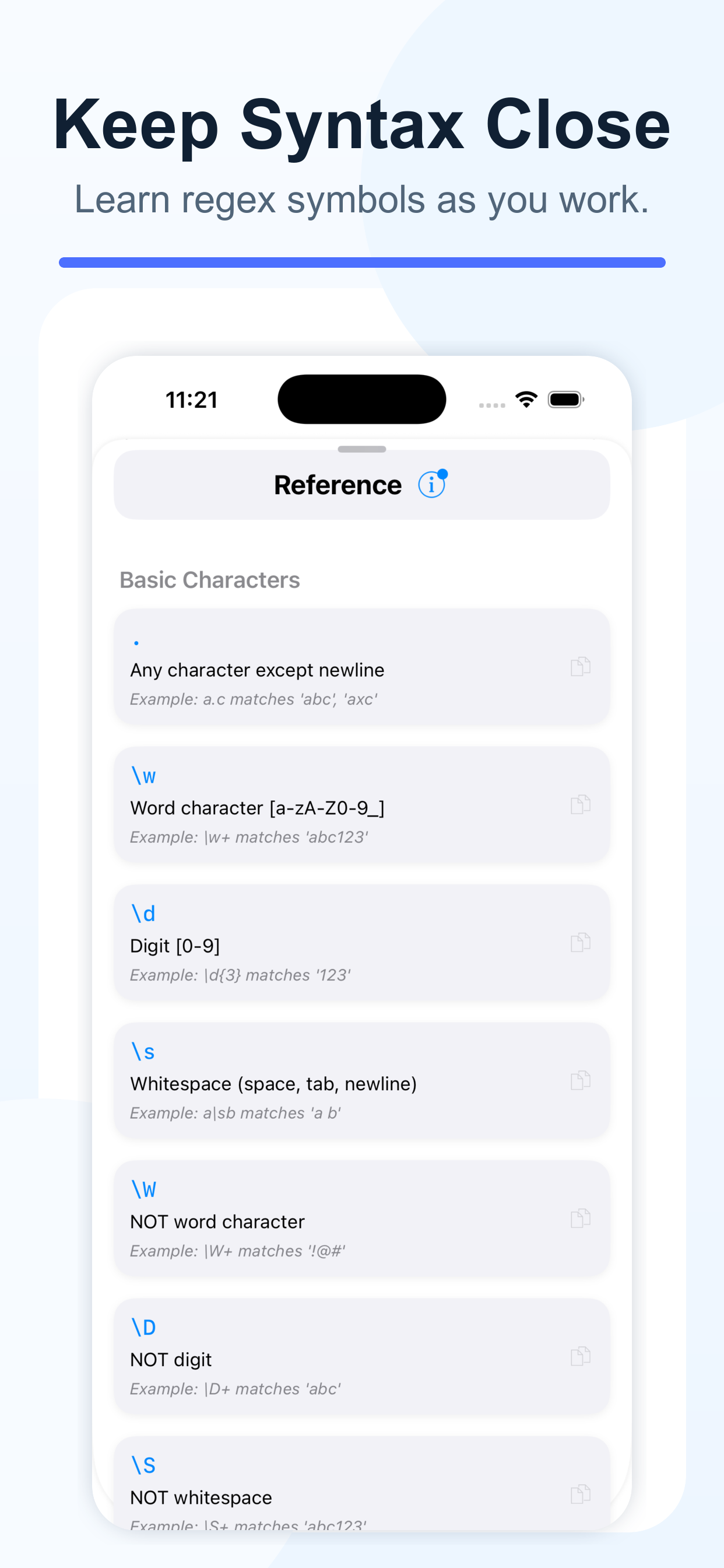
Regex Cheat Sheet
Quick-reference guide for regex syntax organized by flavor with tap-to-copy examples.
Reference Guide
Comprehensive regex reference with per-engine documentation, option explanations, and interactive examples.
Contextual Help Tips
20+ in-app help topics with popover explanations for every major feature.
Export — JSON, CSV, YAML, TOML
Export patterns and performance data in JSON, CSV, YAML, TOML, or plain text formats.
Bulk Import
Import patterns from JSON, CSV, YAML, TOML, plain text, or regex101/RegExr URLs.
Deep Links (regexpress://)
Create shareable URLs that open a specific pattern, sample text, and flavor directly in the app.
Command Palette
Search and run common RegExpress commands without navigating away from the pattern.
Spotlight & App Shortcuts
Find saved work from system search and launch common actions through App Shortcuts.
Share Extension
Send regex-related content into RegExpress from other apps and continue in a structured workspace.
iCloud Sync
CloudKit sync for patterns, folders, favorites, history, tutorial progress, puzzle completions, and achievement stats.
Multi-Window (iPad & Mac)
Six secondary window types: Pattern Library, Playground, Reference Guide, Test Suite, Pattern Insights, and Achievements.
22 Keyboard Shortcuts
Full keyboard shortcut support on iPad and Mac for pattern operations, testing, views, and multi-window.
Customizable Quick Actions
Configure the quick actions bar with your most-used regex operations.
8 Color Themes
Choose from 8 syntax highlighting themes with dark and light mode support.
VoiceOver & Accessibility
Full VoiceOver support, dynamic text sizing, and high contrast mode (Cmd+Option+H).
Localization (EN, ES, PT-BR, ZH-Hans)
Full localization in English, Spanish, Brazilian Portuguese, and Simplified Chinese.
Why It Is Worth Having
RegExpress is for the moment when a regex is important enough that guessing is not acceptable. Paste real sample text, choose the same engine your project uses, and see matches, groups, replacements, warnings, and performance clues in one place.
The Pro tools are built around time saved: diagrams for understanding inherited patterns, debugging for finding where matching goes wrong, comparison for refactors, generated test suites for regression checks, and code generation for avoiding escaping mistakes when you move a tested pattern into your app.
Because Pro is a one-time $4.99 purchase, RegExpress makes sense even if it saves you one frustrating debugging session.
The 5 Regex Engines
RegExpress does not treat regex as one generic dialect. Swift Regex uses Apple's native Regex system, while Foundation mode targets NSRegularExpression and its ICU behavior. JavaScript runs through JavaScriptCore with ECMAScript flags including global, Unicode, sticky, dotAll, and multiline.
Python Compatibility Mode models the syntax and options used by Python workflows. Native PCRE2 brings Perl-compatible features such as recursive patterns, possessive quantifiers, and atomic groups. Each engine exposes its own capabilities and options, and v8 carries that flavor context into examples, reference material, the Pattern Builder, optimization, comparisons, diagrams, and code tools.
This matters because regex behavior varies between engines. A pattern that works in Python may fail in Swift. A JavaScript pattern with the sticky flag behaves differently than the same pattern without it. Testing in the selected flavor helps you catch dialect-specific bugs before they reach production.
Debugging, Profiling & Optimization
The visual debugger steps through pattern execution one token at a time. You can see which character is being examined, which part of the pattern is being evaluated, and where backtracking or failure points appear.
The performance profiler measures execution across four phases: initialization, compilation, matching, and cleanup. The execution timeline shows the flow of pattern processing. The token performance heatmap highlights which parts of your pattern are consuming the most time, so you can target optimizations where they matter most. Memory usage tracking shows allocation patterns across the matching process.
The backtracking risk analyzer runs in real-time as you type. It detects three specific risk patterns: nested quantifiers (like (a+)+ ), wildcard quantifiers (like .*.*), and broad character class quantifiers (like [\s\S]+[\s\S]+). Each risk is flagged with a severity level, an explanation of the danger, and a concrete rewrite that eliminates the backtracking risk. The pattern optimizer takes this further by analyzing patterns for general inefficiencies, showing before-and-after comparisons, estimating improvement percentages, and explaining each suggested change.
Pattern Generation & Intelligence
The AI pattern assistant generates regex from natural language descriptions. Describe what you want to match — "email addresses", "dates in MM/DD/YYYY format", "phone numbers with optional country code" — and it produces 2–3 alternative patterns with confidence levels, suggested regex options, and plain English explanations. The generation engine supports multiple complexity styles from simple to aggressive, and validates each pattern at compile time before presenting it.
The pattern recommender takes a different approach: give it sample text and it automatically detects patterns for emails, URLs, dates (multiple formats), phone numbers, IP addresses, credit card numbers, postal codes, social security numbers, time formats, and generic numeric patterns. Each recommendation includes an icon, confidence level (high, medium, low), match coverage percentage, and suggested engine options.
The pattern explainer breaks down any existing pattern into plain English. It shows a component-level explanation, a full token breakdown with the role of each element, an abstract syntax tree visualization, and flags for potential issues like excessive backtracking or unnecessary capturing groups. This is invaluable for understanding patterns you've inherited from other developers or found online.
Testing Infrastructure
The test suite lets you define strings that should match and strings that should not, specify expected captures, set performance limits, and run everything as a batch with detailed results. Version 8 adds progress, cancellation, edge-case intelligence, and pattern health details so a suite can explain more than a simple pass or fail.
The regression test runner checks your saved patterns against their test cases to catch breaking changes. If you edit a pattern and accidentally break an existing test case, you'll know immediately. The flaky test replayer lets you re-run and diagnose intermittent failures. Import test cases from CSV or plain text files to integrate with your existing test data.
Pattern comparison provides a structural diff between two patterns. It shows match differences, capture group analysis, performance comparison, segment-level differences, and a recommendation for which pattern is better. This is essential when refactoring patterns — you can verify that the new version produces identical results before deploying it.
Learning, Challenges & Achievements
The tutorial system offers a structured curriculum starting with basic regex fundamentals and progressing through intermediate and advanced topics like recursive patterns, lookaheads, and performance optimization. Specialized learning paths focus on web development, data validation, and text processing. Progress is tracked per lesson with completion percentages and bookmarks.
Daily puzzles generate a new regex challenge every day. Choose your difficulty level, solve the puzzle, and build your streak. The points system rewards consistent practice and creative solutions. Regex Golf challenges you to write the shortest pattern that matches all strings in a target set while excluding all strings in an anti-set. With 4 difficulty levels (beginner, intermediate, advanced, expert), 9 challenge categories, hints, and character count limits, it's a deeply engaging way to sharpen your regex skills.
The achievement system tracks milestones across every aspect of the app — patterns tested, tutorials completed, puzzles solved, golf challenges won, and more. Achievements unlock with popup celebrations, and your achievement stats sync across all your devices via iCloud.
Library, Sync & Workflow
The pattern library stores reusable patterns with descriptions, tags, and test cases. Organize them into folders and automatic collections, mark favorites, and search by name, description, or pattern content. Complete .regexpress workspaces preserve the flavor, options, sample text, replacement, tests, notes, and metadata around a pattern, while .regproj support keeps test projects portable.
iCloud sync uses CloudKit with incremental updates via change tokens, conflict resolution by most-recent timestamp, and offline queueing. Everything syncs: patterns, folders, favorites, history, tutorial progress, daily puzzle completions, Regex Golf solutions, and achievement stats. On iPad and Mac, multi-window support provides six secondary window types — Pattern Library, Playground, Reference Guide, Test Suite, Pattern Insights, and Achievements — so you can work with your library open alongside your testing environment.
Export patterns in JSON, CSV, YAML, TOML, or plain text, and import from those formats or regex101/RegExr URLs. The command palette, Spotlight indexing, App Shortcuts, Share Extension, multiwindow support, and regexpress:// deep links make saved work available beyond one screen. Structured local storage, draft recovery, and sync improvements make the underlying library more dependable.
Pricing
The free tier includes core editing, unlimited live matching, all five engines, standard options, capture results, find and replace, examples, reference material, data import and export, and Swift code generation. You can also save up to 20 patterns, keep 50 recent history items, create one test suite with up to 10 manual cases, use Generate Regex three times per week, and preview advanced tools.
RegExpress Pro is a one-time purchase of $4.99. It unlocks unlimited saved content and tests, iCloud sync, deeper debugging and performance analysis, complete visual tools, advanced generation and optimization, additional code targets, advanced organization, and more. There is no subscription.
What's New in v8.0
RegExpress 8 is a major upgrade built around safer execution, flavor accuracy, and a faster professional regex workflow.
- Work in a multiline editor with a persistent token dock, flavor-aware options, railroad diagrams, code snippets, and direct access to building and testing tools.
- Run Swift Regex, Foundation (ICU), JavaScript/ECMAScript, Python Compatibility Mode, and native PCRE2, with supporting tools that adapt to the selected flavor.
- Choose automatic or manual runs, cancel expensive work, set match limits, inspect clearer errors, and catch backtracking risks earlier.
- Save .regexpress workspaces with patterns, options, text, replacements, tests, notes, and metadata, and reopen .regproj test projects.
- Use richer test results, edge-case intelligence, performance limits, flavor-aware comparison, and a redesigned Generate Regex workflow built around requirements and examples.
- Reach common actions through the command palette, Spotlight, App Shortcuts, sharing tools, deep links, incremental replacement previews, and improved multiwindow support.
- Core regex creation and testing remain free, with useful limits for saved patterns, history, test cases, Generate Regex, Swift code generation, and previews of advanced tools.
RegExpress Pro remains a $4.99 one-time purchase with no subscription. Version 8 also includes redesigned examples, keyboard and scrolling fixes, accessibility improvements, localization updates, and reliability refinements.
From the Blog
RegExpress 8: A Safer Regex Editor and Tester for iPhone, iPad, and Mac
RegExpress 8 adds a Focus Editor, five flavor-aware regex engines, cancellable execution, portable workspaces, richer test suites, and a clearer free tier.
Read article →Product UpdatesRegExpress v7: Visual Regex Diagrams for Patterns You Can Actually Read
RegExpress v7 turns complex regular expressions into railroad-style diagrams, making it easier to understand inherited patterns, spot risky structure, and explain regex behavior.
Read article →RegexWhy RegExpress v7 Tests Five Regex Flavors Instead of One Generic Regex
Regex behavior changes between Swift, NSRegularExpression, JavaScript, Python, and PCRE2. RegExpress v7 helps you test patterns in the flavor your project actually uses.
Read article →Developer ToolsRegExpress v7 Makes Regex Safer with Test Suites, Pro Trials, and a Bigger Free Tier
RegExpress v7 expands the free tier, adds generated regex test suites, and lets users try several Pro workflows before upgrading to the $4.99 one-time Pro purchase.
Read article →RegexURL Validation with Regex: Patterns for Real-World Web Development
URLs appear in user input, configuration files, and API responses. Learn regex patterns that balance strictness with real-world URL variety.
Read article →DevelopmentParsing Server Logs with Regex: Patterns and Techniques
Server logs contain valuable data buried in semi-structured text. Learn regex patterns and techniques for extracting timestamps, error codes, and request details.
Read article →
Stop Shipping Regex Guesswork
Test, explain, diagram, debug, compare, save, and export regex patterns on iPhone, iPad, and Mac.
Download on App Store Privacy Policy