See It in Action
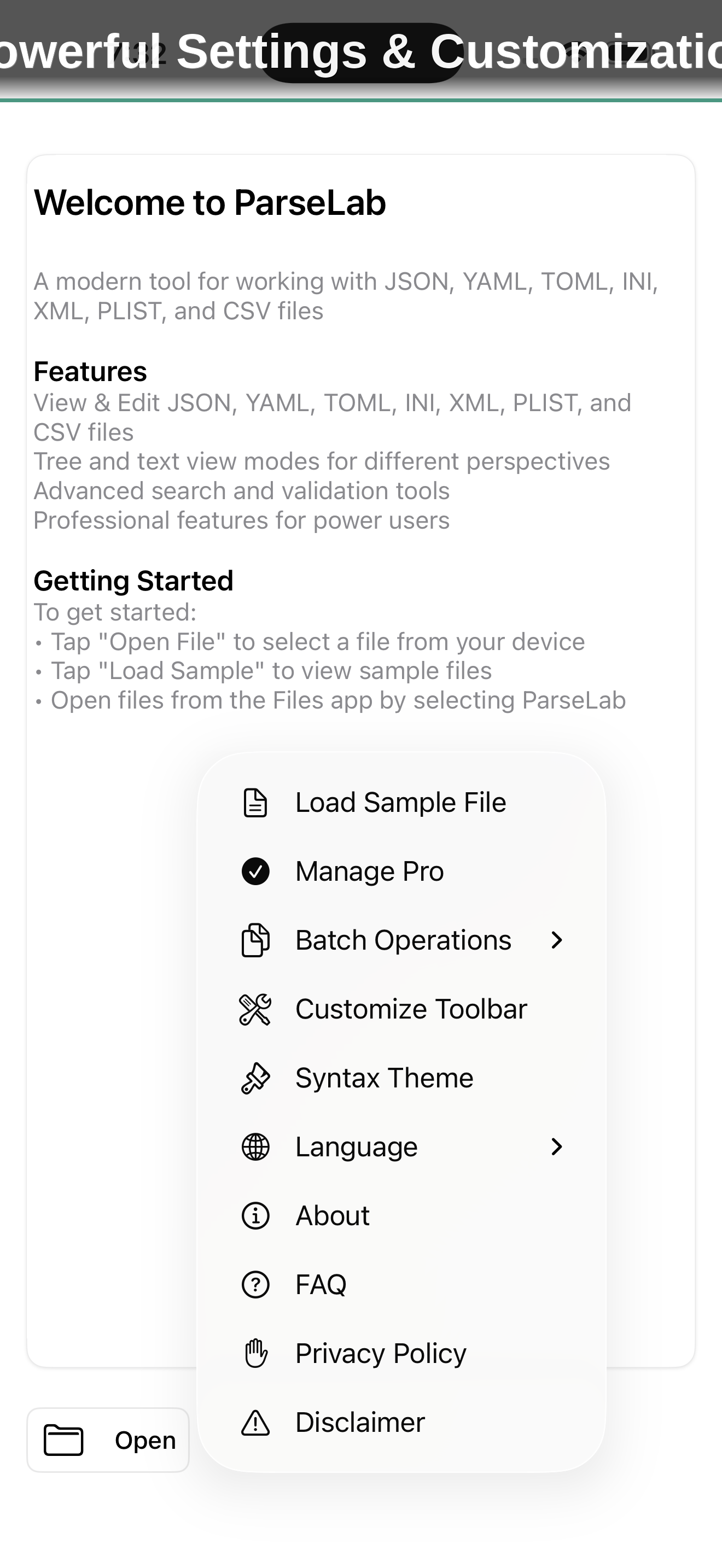
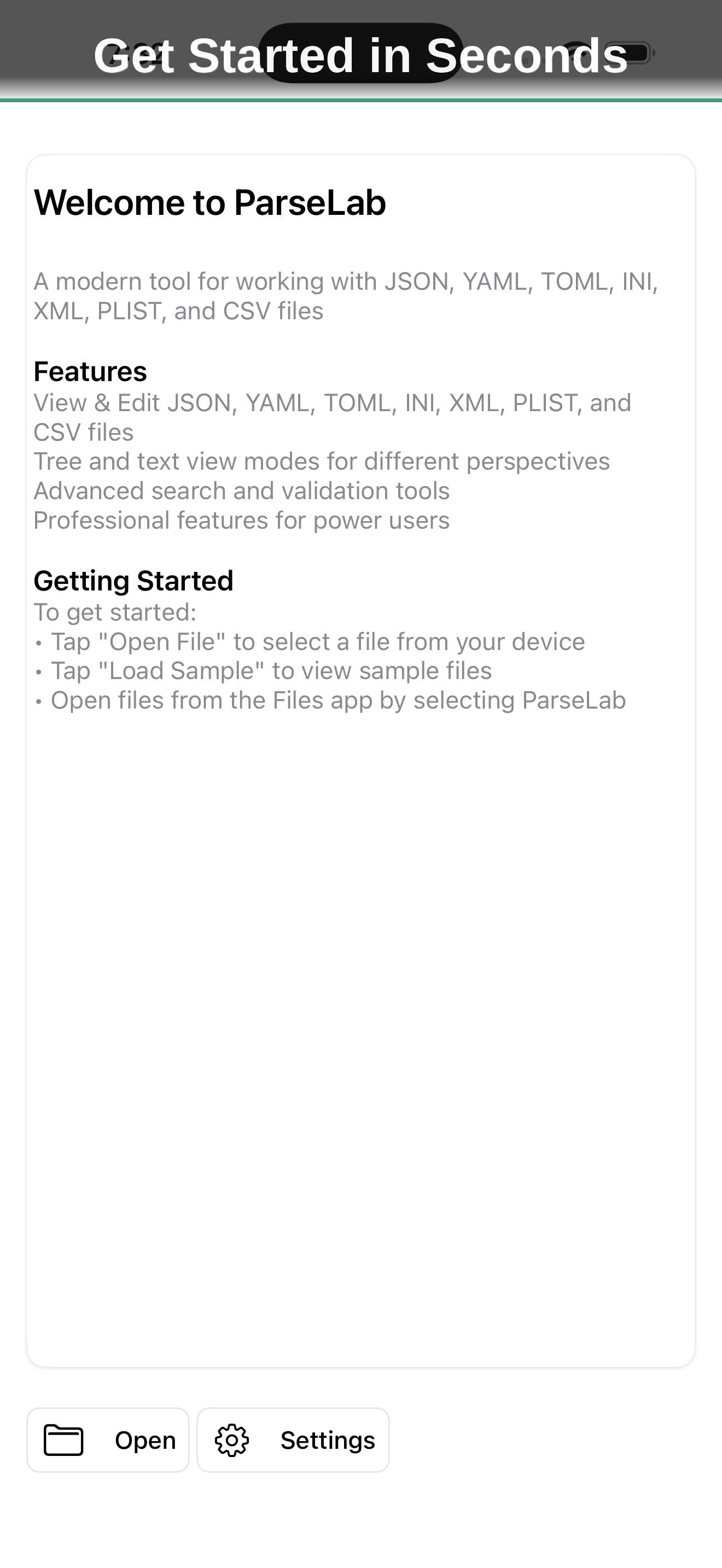
About ParseLab
ParseLab is a native data file editor for 8 structured formats — JSON, YAML, TOML, XML, CSV, PLIST, INI, and ENV. Edit with syntax highlighting and live validation, navigate with tree view, search with JSONPath and XPath, convert between formats, diff two files side by side, and explore data structures — all on your iPhone, iPad, or Mac, with a fresh design built for iOS 26.
Developers, DevOps engineers, and data analysts work with structured data files every day — configuration files, API responses, data exports, infrastructure definitions. When you need to quickly inspect a JSON payload on your phone, edit a YAML config on a train, validate a TOML file against a schema, or convert an XML export to CSV, you shouldn't need to open a laptop or paste your data into a web tool that may mishandle your format, strip comments, or silently drop fields. ParseLab gives you a native, offline-capable editor purpose-built for structured data on every Apple device — now rebuilt around Apple's iOS 26 Liquid Glass design with a customizable toolbar and polished glass controls throughout.
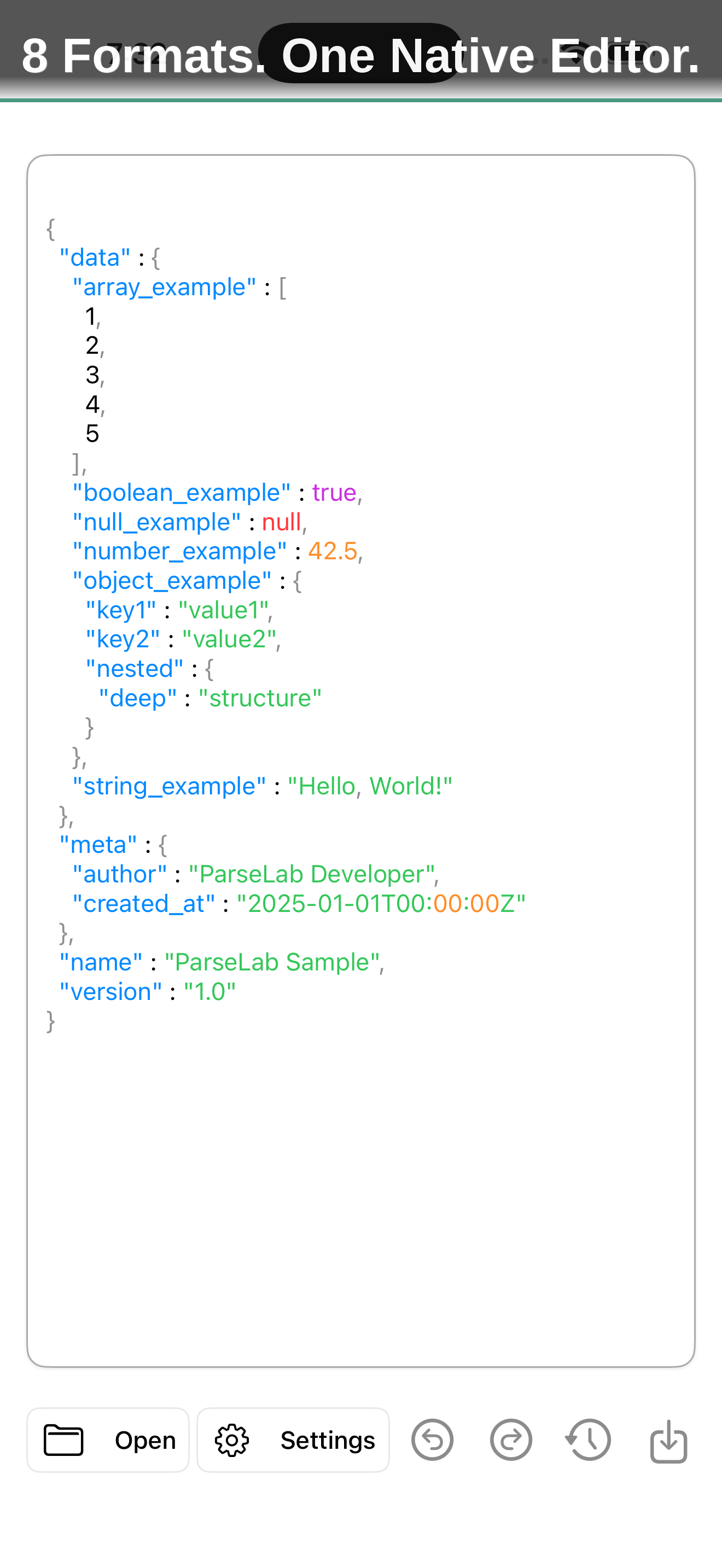
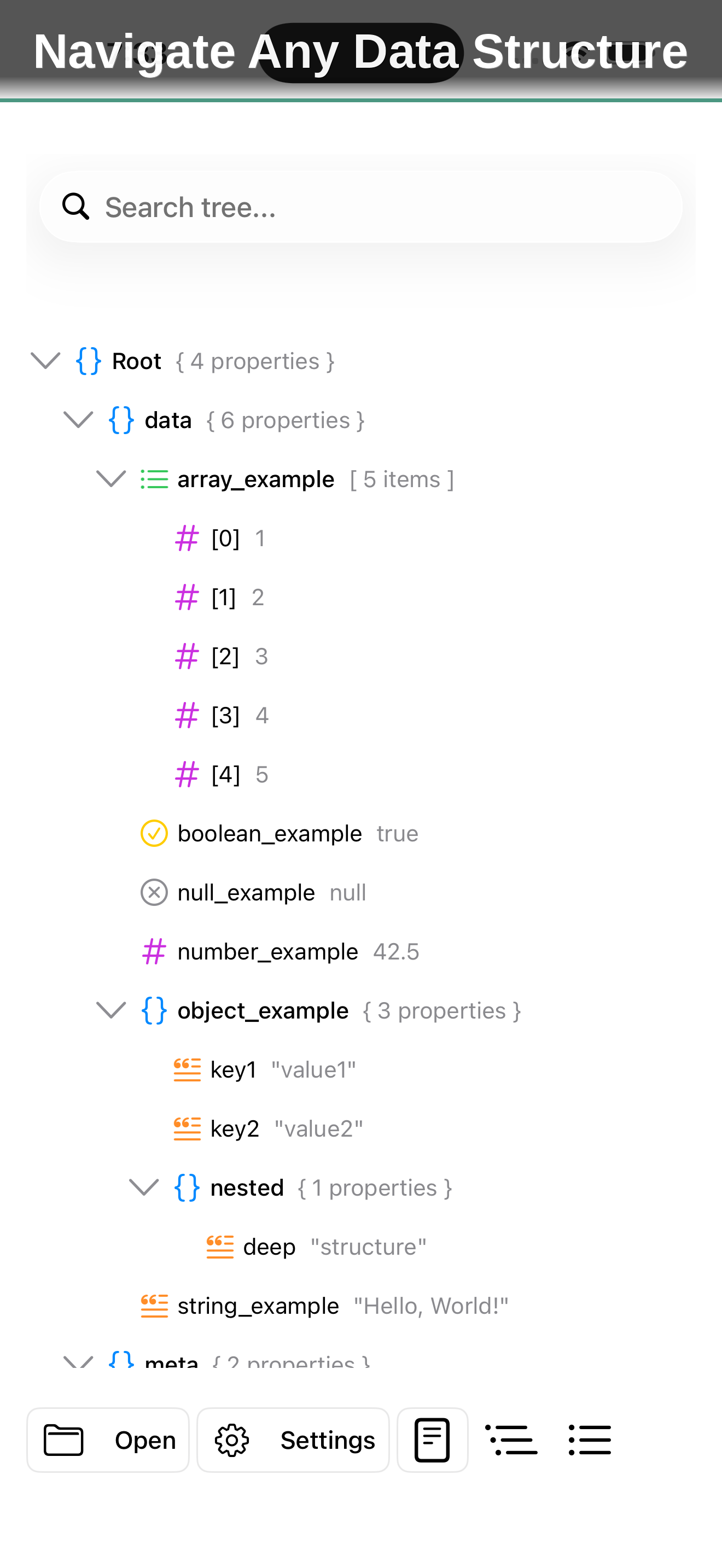
ParseLab handles all 8 major structured data formats natively: JSON, YAML, TOML, XML, CSV, PLIST, INI, and ENV. Each format gets its own syntax highlighting engine that understands the grammar — keys, values, strings, numbers, booleans, comments, and structural elements are all color-coded distinctly, with multiple themes to match your preference. Live inline validation flags issues such as duplicate keys and trailing commas as you type, surfacing them in a tappable issues chip. The interactive tree view lets you expand and collapse nodes, search within the tree to jump to any key, and see the full path to any element — essential for navigating deeply nested configurations that would be impossible to parse by scrolling raw text. Advanced search goes further with text, regex, and structural path queries, returning JSONPath-style locations like $.database.name so you can jump straight to what you need.
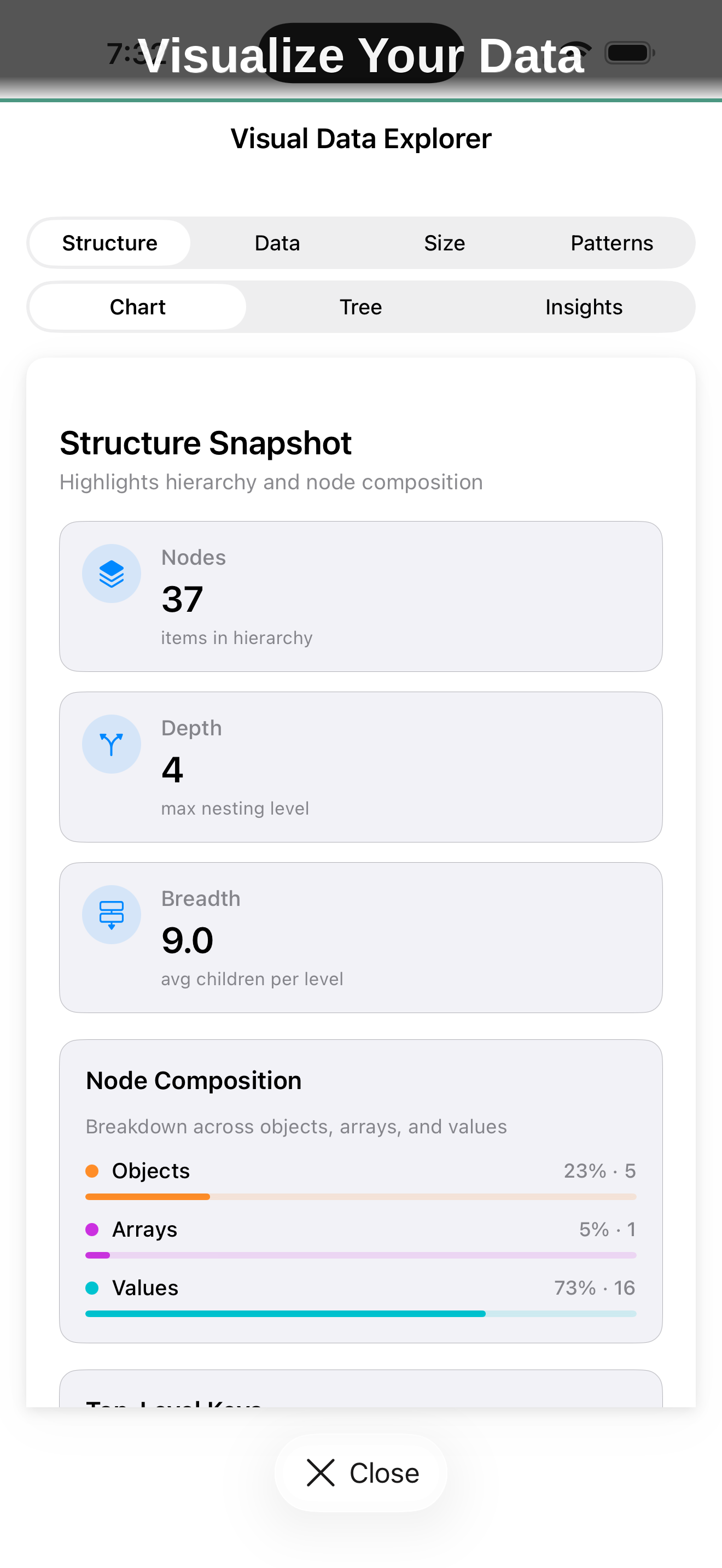
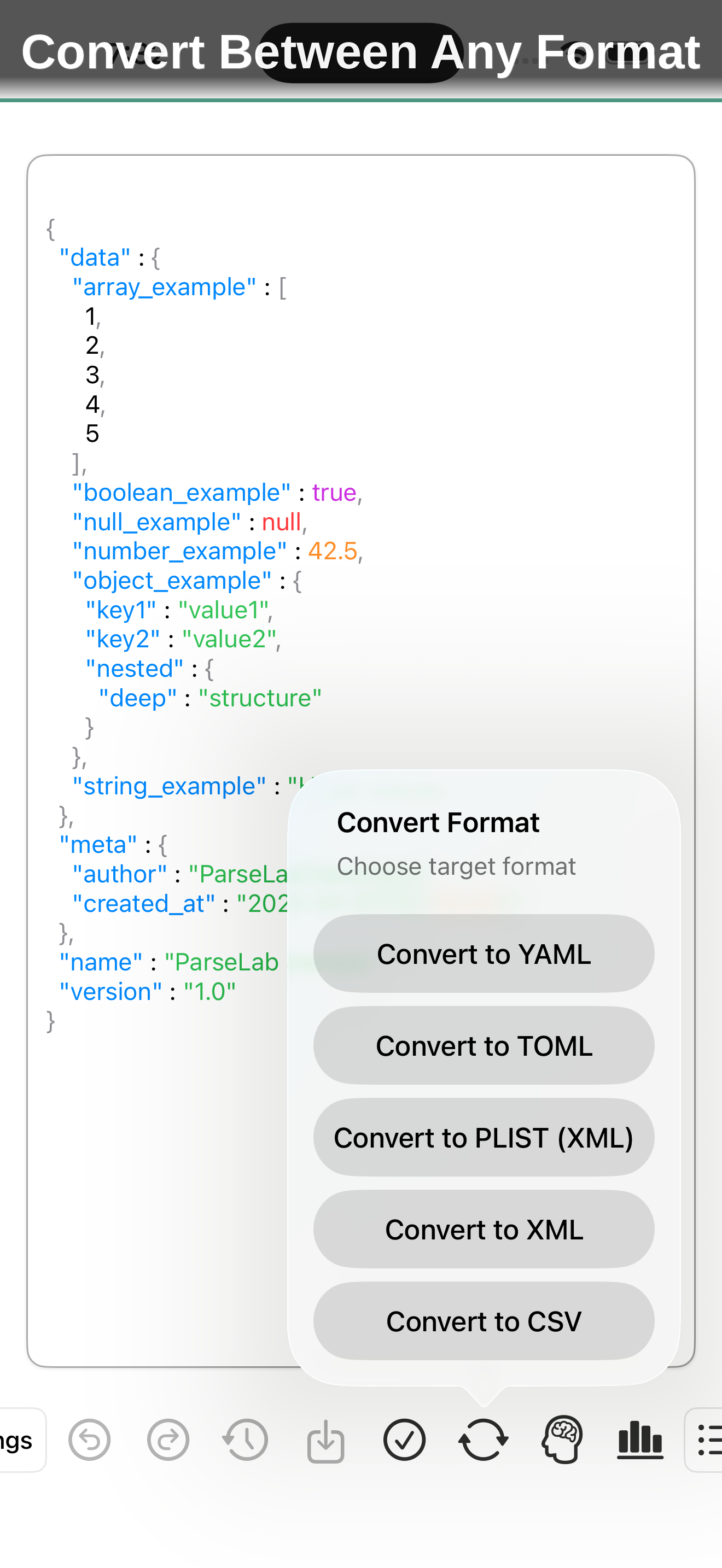
The format converter transforms between any combination of supported formats instantly — JSON to YAML, XML to JSON, CSV to TOML, and every other permutation — preserving data types, comments where the target format supports them, and structure. Batch conversion processes entire folders at once with customizable presets, so you can convert a directory of JSON configs to YAML in a single operation. The diff tool compares two files side by side — with inline and structural diffs as well — highlighting exactly what was added, removed, or changed between two versions of a configuration file or API response. The visual data explorer breaks a file down at a glance with node count, nesting depth, breadth, and value-type composition, and the on-device AI engine answers natural language questions about unfamiliar files and offers smart, advisory suggestions.
Core Features
Format-Aware Syntax Highlighting
Each of the 8 supported formats (JSON, YAML, TOML, XML, CSV, PLIST, INI, ENV) gets its own syntax highlighting engine that understands the grammar of the format. Keys, values, strings, numbers, booleans, comments, and structural elements are all color-coded distinctly. Multiple themes are available to match your visual preference.
Interactive Tree View
Navigate complex, deeply-nested data structures with an interactive tree view. Expand and collapse nodes, search within the tree to jump directly to any key or value, and see the full path to any element. For large files, the tree view makes it possible to understand structure that would be impossible to parse by scrolling through raw text.
Search & Query with JSONPath and XPath
Find any key or value with text, regex, or structural path search. Results come back with JSONPath-style locations like $.database.name — and XPath support for XML — so you can jump straight to exactly what you need in large, unfamiliar files. Full find-and-replace with match highlighting and undo/redo history lets you verify changes before committing them.
Validation & Live Linting
Live inline validation flags issues such as duplicate keys and trailing commas as you type, collecting them in a tappable issues chip. Validate JSON against JSON Schema definitions with detailed error messages that include the exact path to the problem, the expected type or value, and how to fix it. Validation catches structural errors that syntax checking alone would miss.
Diff & Compare
Compare your file against the clipboard or an earlier version with side-by-side, inline, and structural diffs. ParseLab highlights exactly what was added, removed, or changed — perfect for reviewing config edits and API responses, or confirming a conversion preserved everything that mattered.
Format Conversion & Batch Processing
Convert between JSON, YAML, TOML, XML, and CSV with a single tap. The converter preserves data types, comments (where the target format supports them), and structure, and warns you about any lossiness before you save. Batch conversion processes entire folders of files with reusable, customizable presets — convert a directory of JSON configs to YAML in one operation.
Analytics & AI Insights
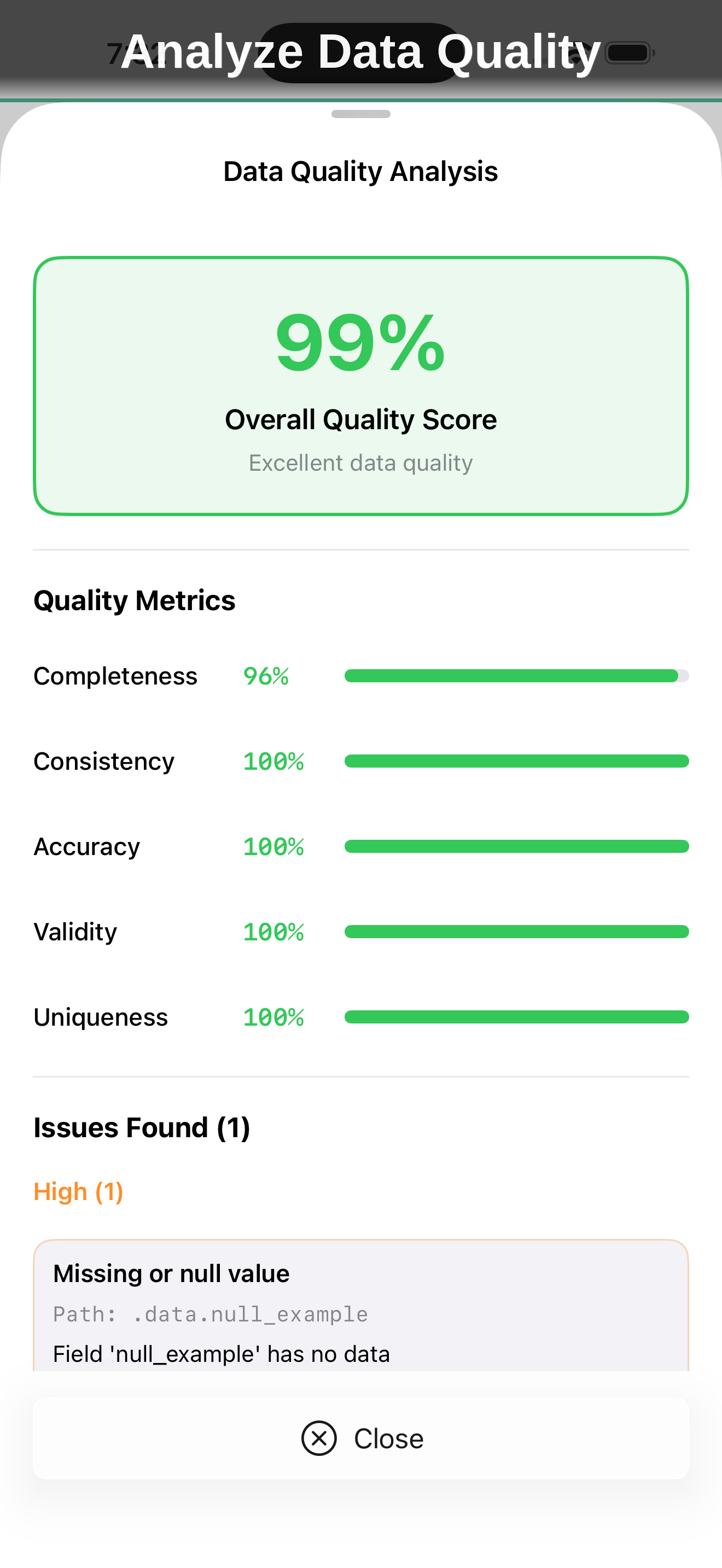
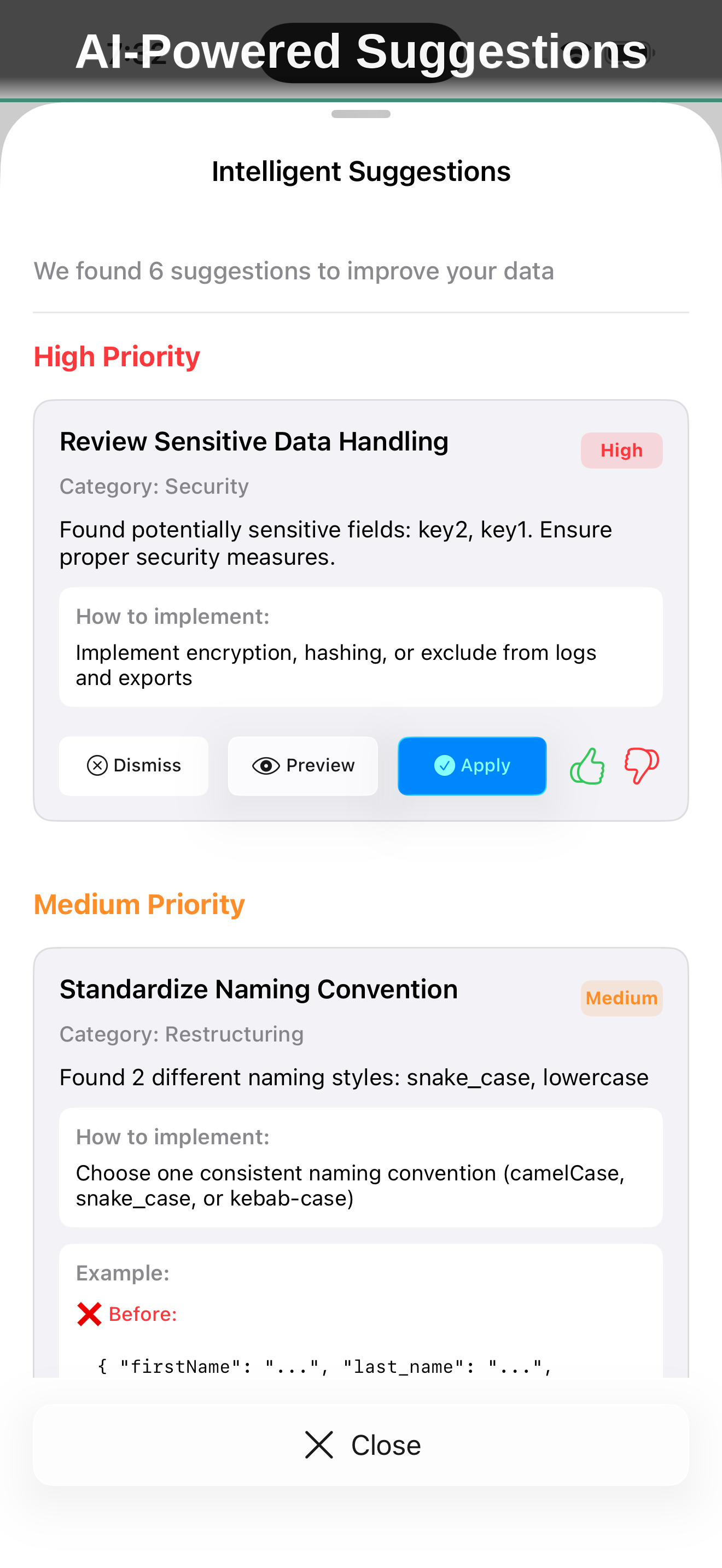
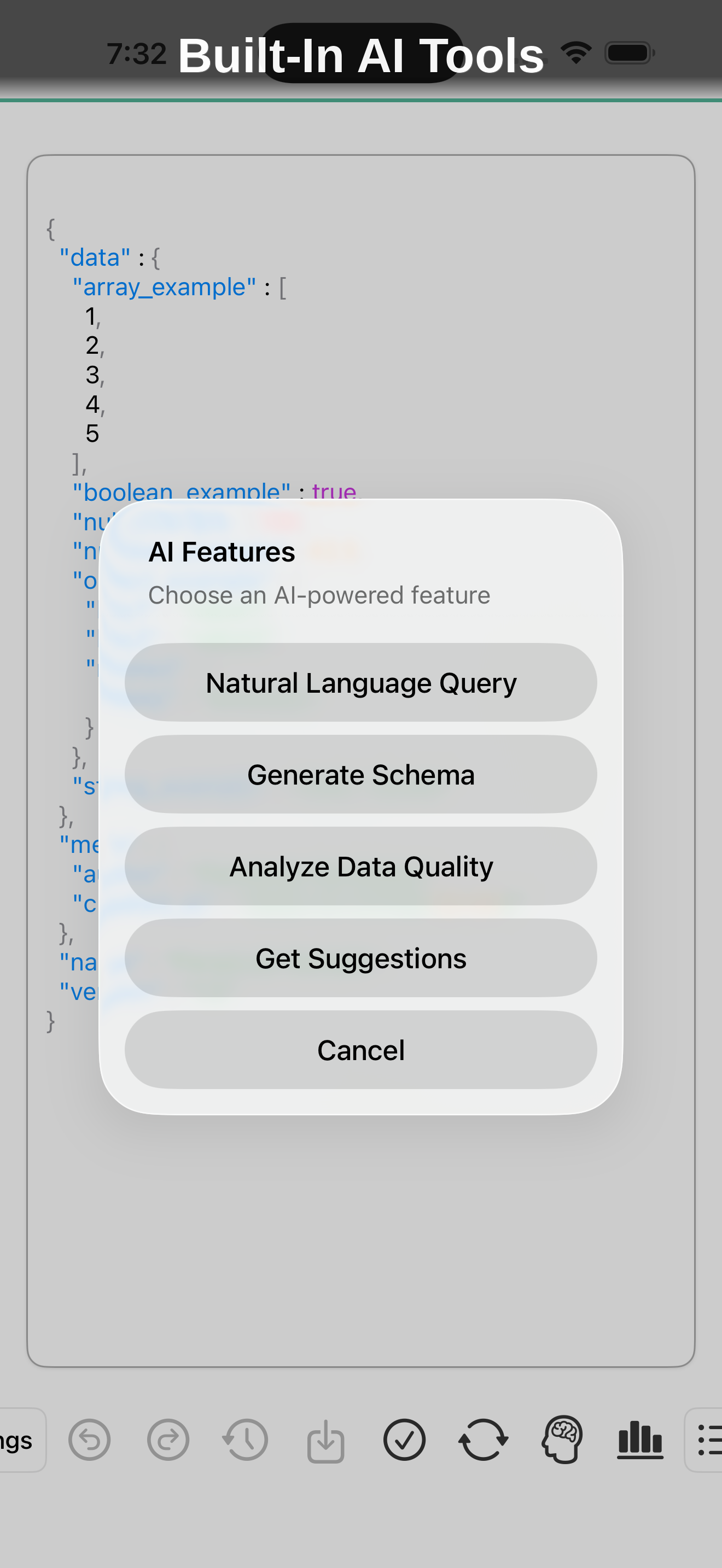
The visual data explorer breaks a file down at a glance — node count, nesting depth, breadth, and a value-type composition of objects, arrays, and values. The on-device AI engine goes further, answering natural language questions about your data and offering smart, advisory suggestions for understanding unfamiliar files or large datasets.
Parse, Edit, Convert — All in One App
The native data file editor for developers who work with structured data on the go.
Download on App StoreA Native Tool for Structured Data
Web-based JSON formatters and YAML validators work fine when you have a browser open and internet connectivity. ParseLab gives you that same power natively on your devices, with the speed and file access that comes from running locally. Open files directly from your file system, iCloud Drive, or other apps — no copy-pasting into a browser tab. Everything happens on-device: no ads, no tracking, no accounts.
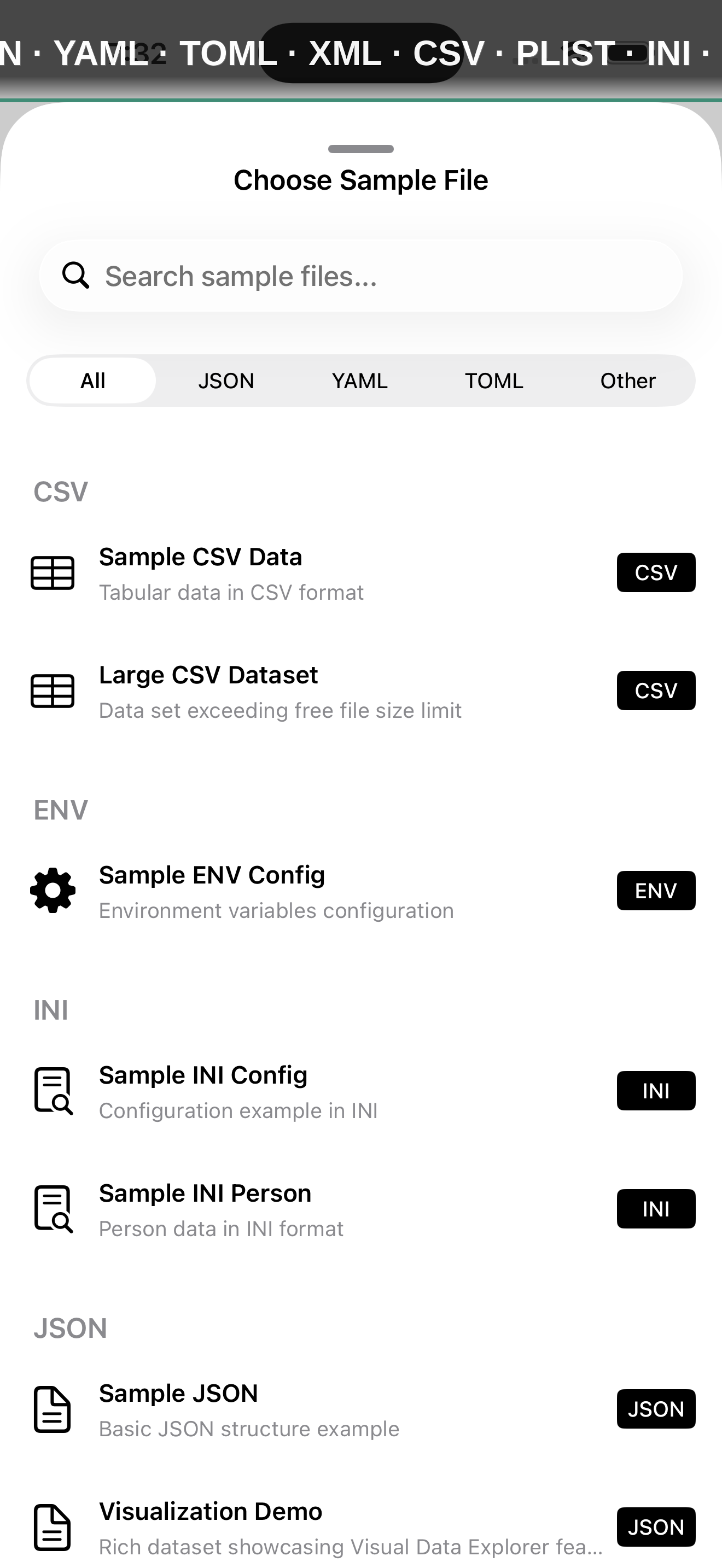
The free tier handles viewing and editing all 8 formats, with syntax highlighting, tree view navigation, the live CSV spreadsheet table, inline validation, basic schema checks, built-in sample files, and full offline use. The Pro upgrade at $9.99 unlocks the format conversion suite with batch presets, advanced search and query with JSONPath and XPath, diff and compare, data analytics and the visual explorer, on-device AI features, premium syntax themes, JSON Schema validation, and unlimited file size. One-time purchase with no subscription.
What's New in v5.0
New Format: ENV
Full support for environment variable files (.env, .env.local, and more), bringing the total to 8 supported formats.
Format Conversion Suite (Pro)
Convert between JSON, YAML, TOML, XML, and CSV in a tap, run batch conversions across many files, and save reusable conversion presets.
Advanced Search & Query (Pro)
Find anything with powerful text, regex, and structural search, including JSONPath and XPath query support.
Diff & Compare (Pro)
Compare two files side by side — with inline and structural diffs — and instantly see every change.
New iOS 26 Liquid Glass Design
A fully refreshed interface with a customizable toolbar, polished glass controls, live inline validation, and two new languages: Simplified and Traditional Chinese.
From the Blog
Converting Between JSON, YAML, TOML, XML and CSV on iOS
Data lives in many formats, and you frequently need to move between them. Learn when to convert, what gets lost along the way, and how to convert whole folders at once on your iPhone or iPad.
Read article →DevelopmentQuerying Structured Data with JSONPath and XPath
Scrolling through a large JSON or XML file to find one value is slow. JSONPath and XPath let you ask for exactly what you want. Here is a practical primer for both.
Read article →DevelopmentDiffing Config Files and API Responses on Your Phone
When something breaks after a change, comparing before and after is the fastest path to the cause. Learn how side-by-side and structural diffs help you spot every change from your iPhone.
Read article →DevelopmentNavigating Nested Data with Tree View: A Better Way to Understand Complex Files
Deeply nested JSON, XML, and YAML files are hard to read as text. Tree view navigation makes complex data structures accessible and understandable.
Read article →DevelopmentBatch Processing Data Files: Automate Repetitive Config Tasks
Stop editing configuration files one at a time. Learn how batch processing can update, validate, and transform multiple data files simultaneously.
Read article →SecurityThe Developer Guide to .env Files and Secret Management
Environment variables keep secrets out of source code, but .env files introduce their own risks. Learn best practices for managing secrets safely.
Read article →
Parse, Edit, Convert — All in One App
The native data file editor for developers who work with structured data on the go.
Download on App Store Privacy Policy