Private messages. Your choice of server.
Meet LockWhisper’s optional encrypted messaging module and Courier Host, the Mac app for running your own personal mailbox server.
See It in Action
About LockWhisper
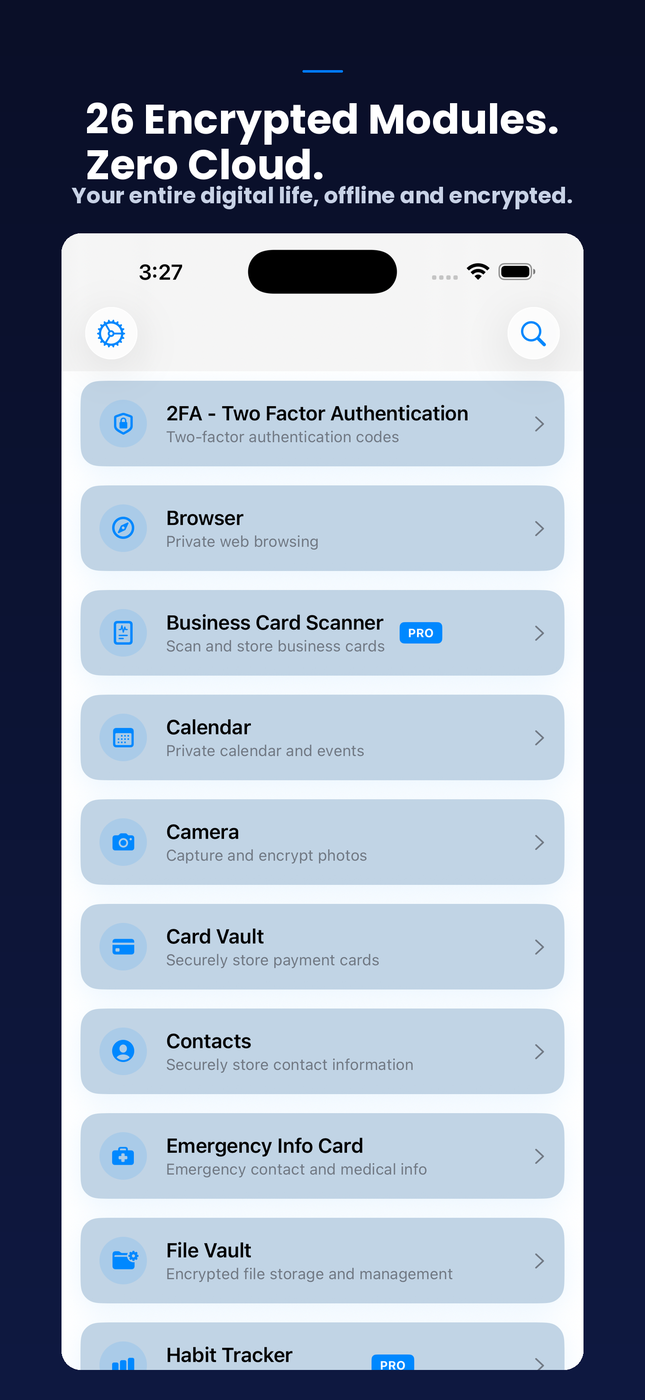
LockWhisper is a private, offline-first security vault for iPhone, iPad, and Mac. Store passwords, 2FA codes, PGP keys, notes, journals, plans, files, secure media, contacts, cards, identity records, travel documents, links, habits, and private tasks with local encryption, no LockWhisper cloud account, and no app tracking.
LockWhisper is built for people who want sensitive personal data under their own control. Supported vault contents are encrypted before persistence and stay on your device unless you export them or sync directly to another trusted device. There is no LockWhisper account and no central cloud database holding your vault.
Version 8.1 makes the privacy dashboard faster to understand and easier to personalize. Resize, reorder, hide, or reset widgets; choose layout presets and visual density; group modules; pin favorite vault items; and review privacy-safe Security Center and backup-readiness cards without exposing sensitive contents.
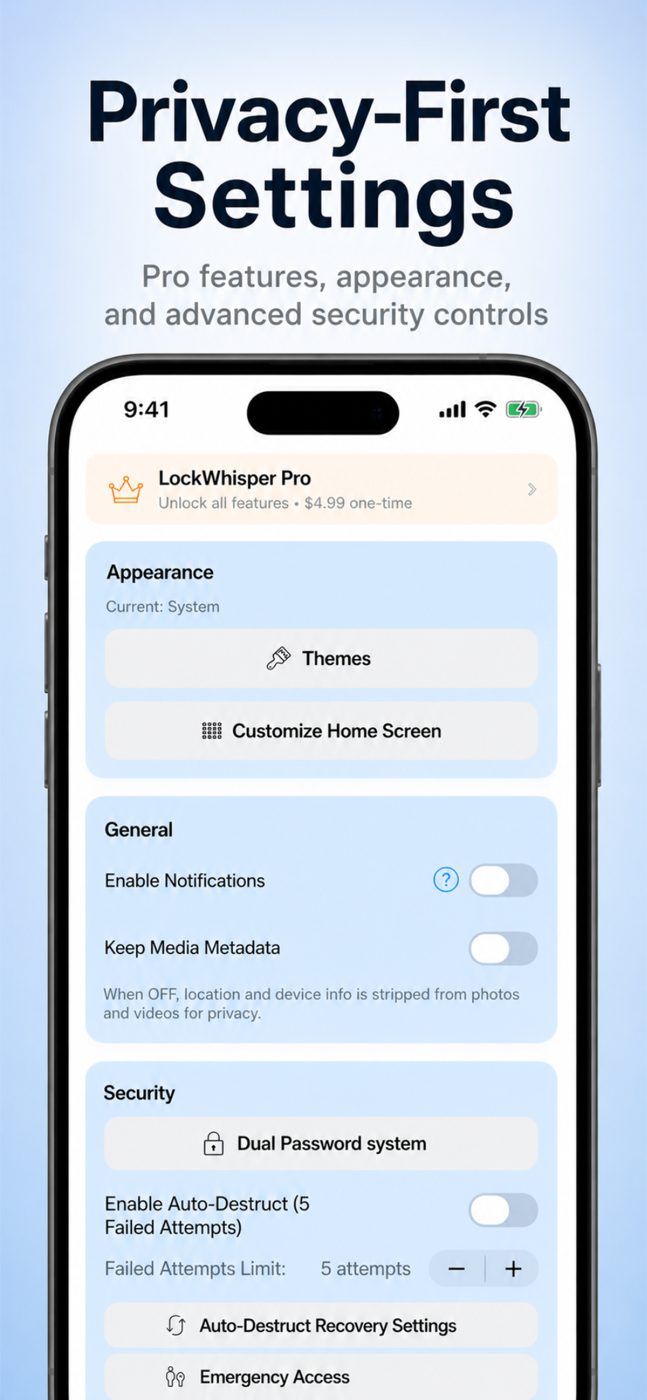
Security features go beyond storage. LockWhisper includes optional real and decoy vaults through fake-password mode, auto-destruct protections, recovery options, key backup and import flows, undecryptable data recovery workflows, jailbreak and debugging checks, Security Center guidance, and YubiKey-assisted workflows for users who want stronger protection.
Core Features
A Privacy Dashboard You Control
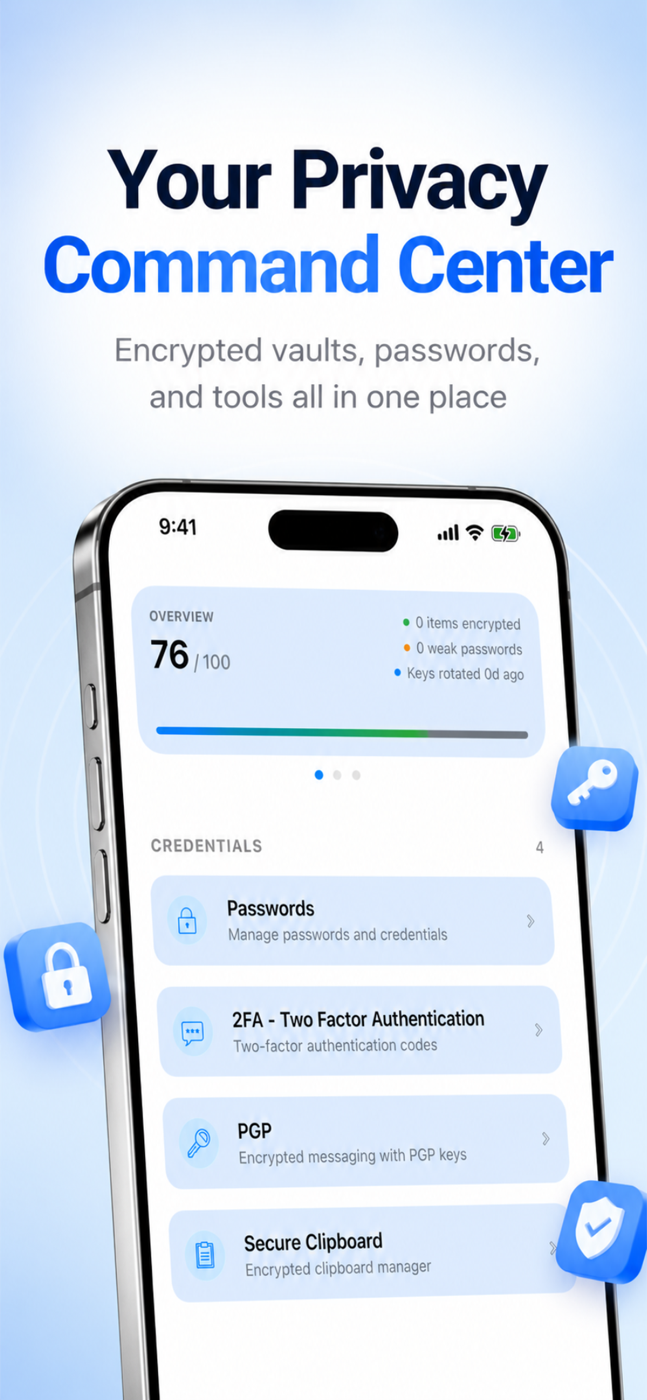
LockWhisper v8.1 lets you resize, reorder, hide, or reset dashboard widgets; choose layout presets and visual density; group modules; and pin favorite vault items. Quick Actions, Security Snapshot, backup health, tips, favorites, and quick modules keep the right local tools and status in reach.
Passwords, 2FA & PGP
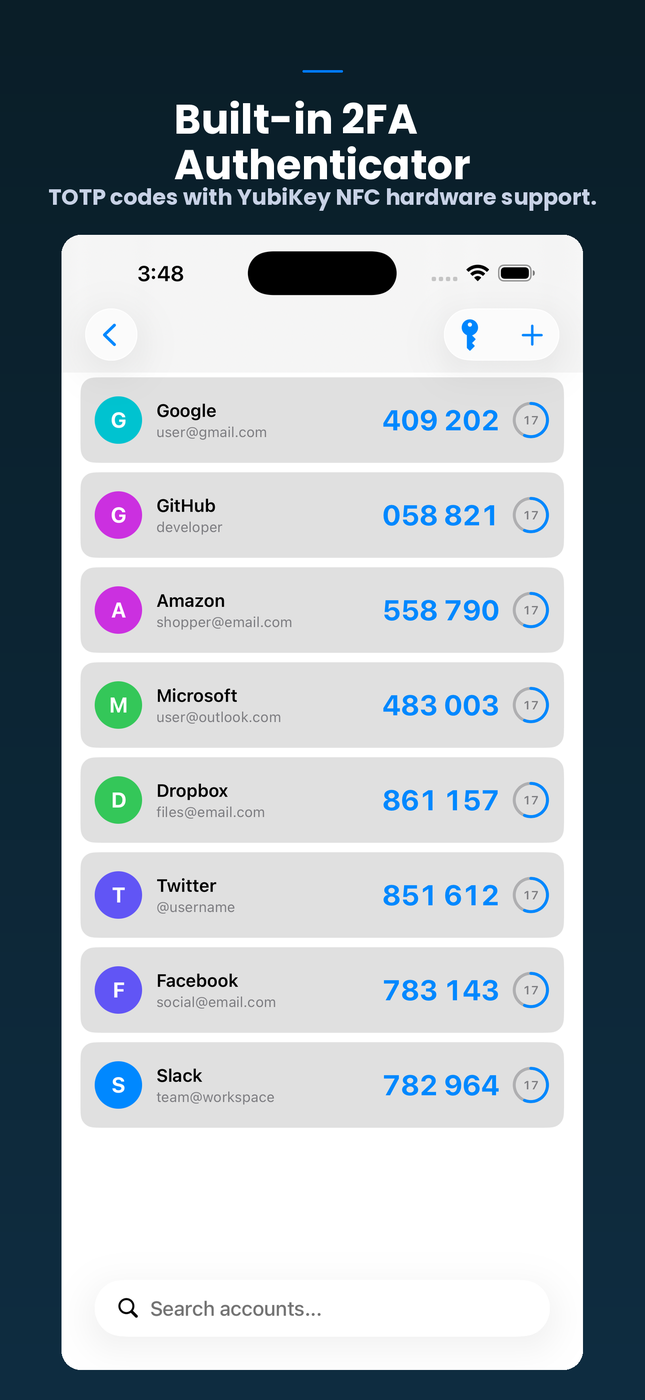
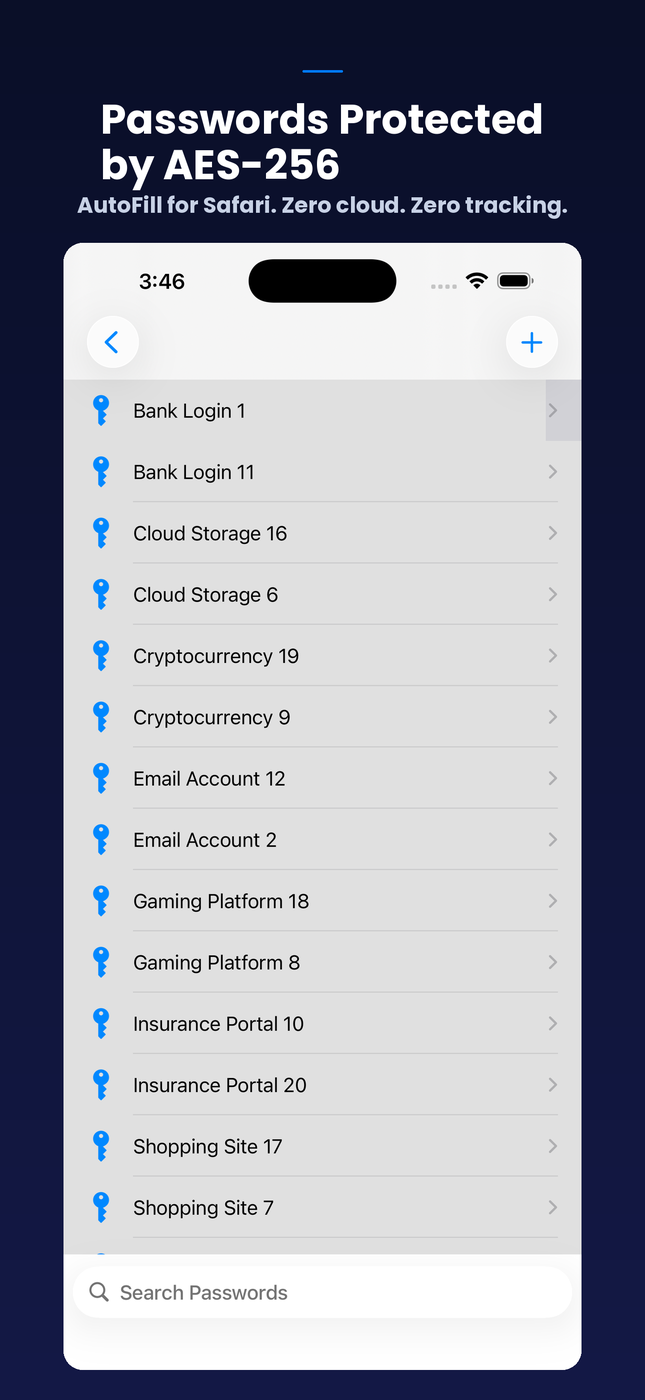
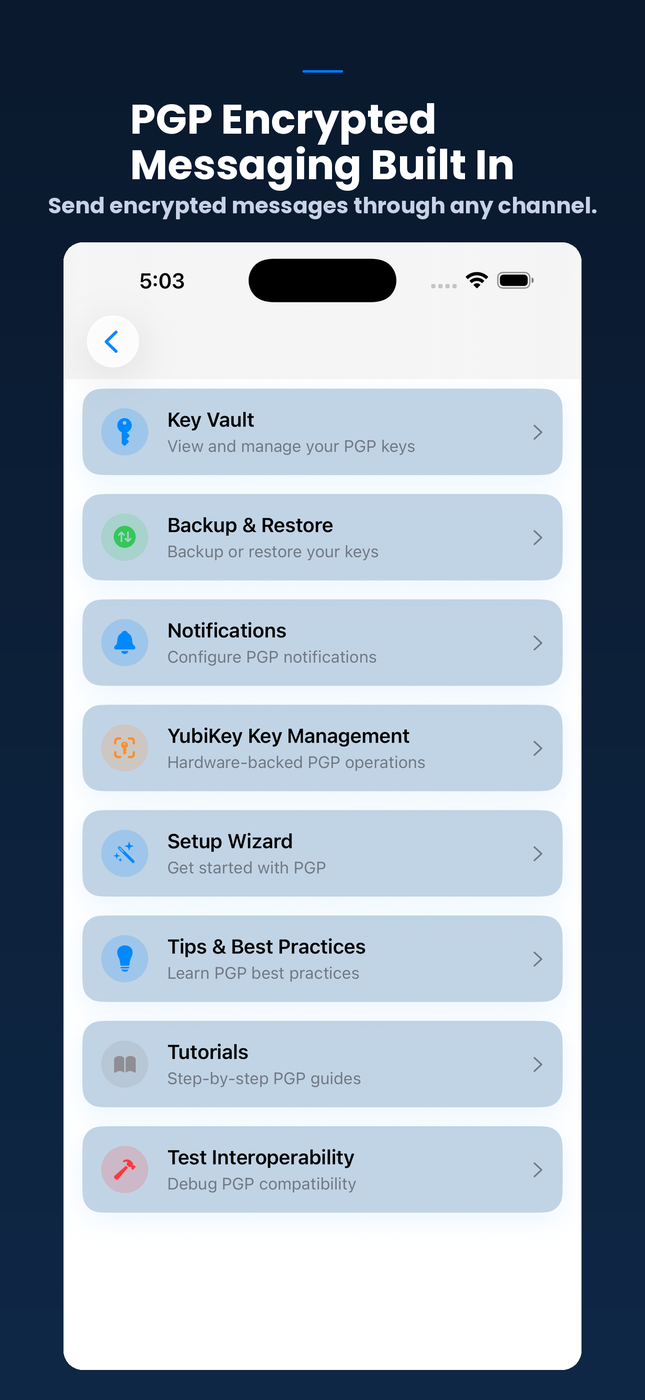
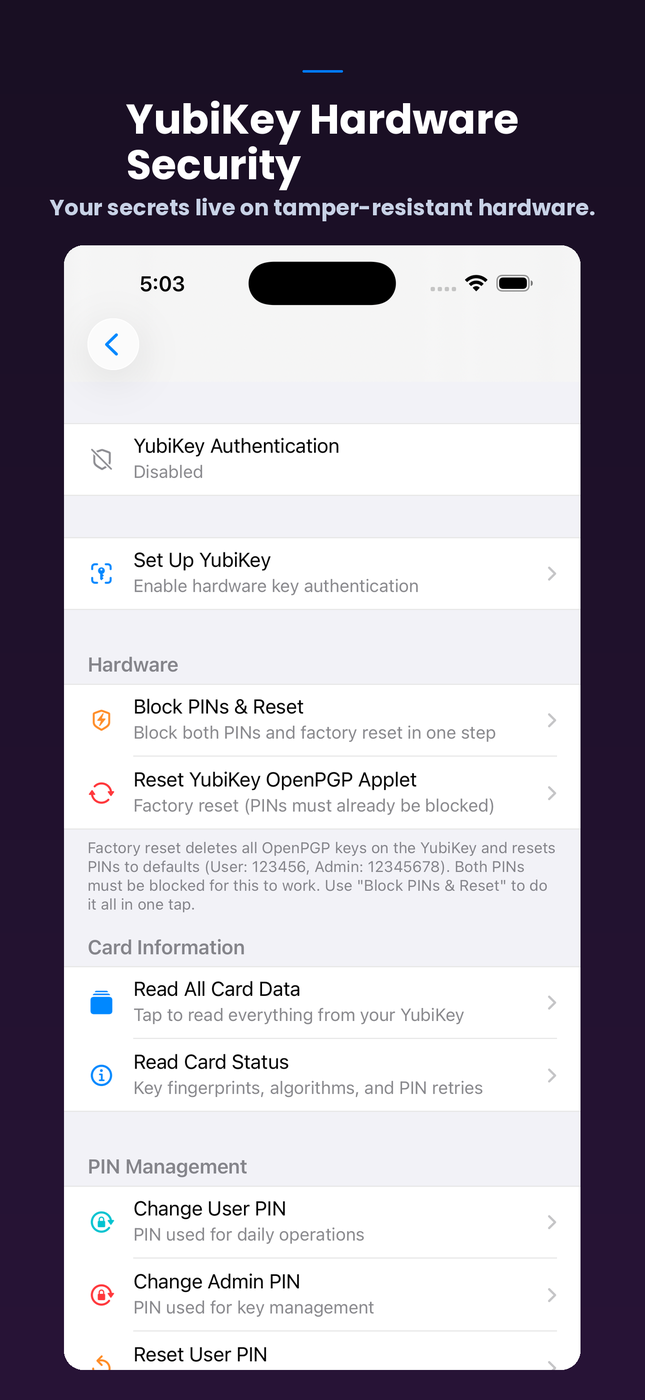
Store encrypted credentials, generate stronger passwords, import authenticator accounts from QR or otpauth links, manage TOTP/HOTP codes, and keep PGP keys and encrypted conversations on device. YubiKey-assisted authentication and OATH workflows add a hardware layer for users who need it.
Writings, Planner & Private Records
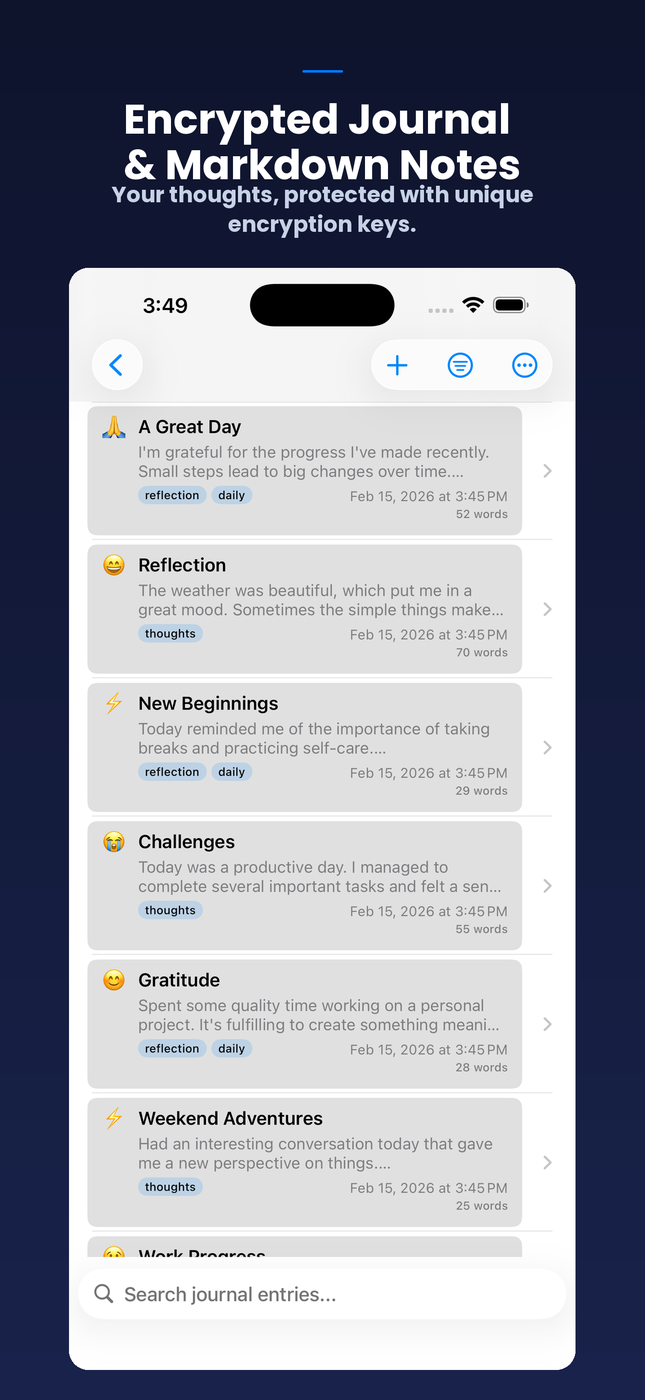
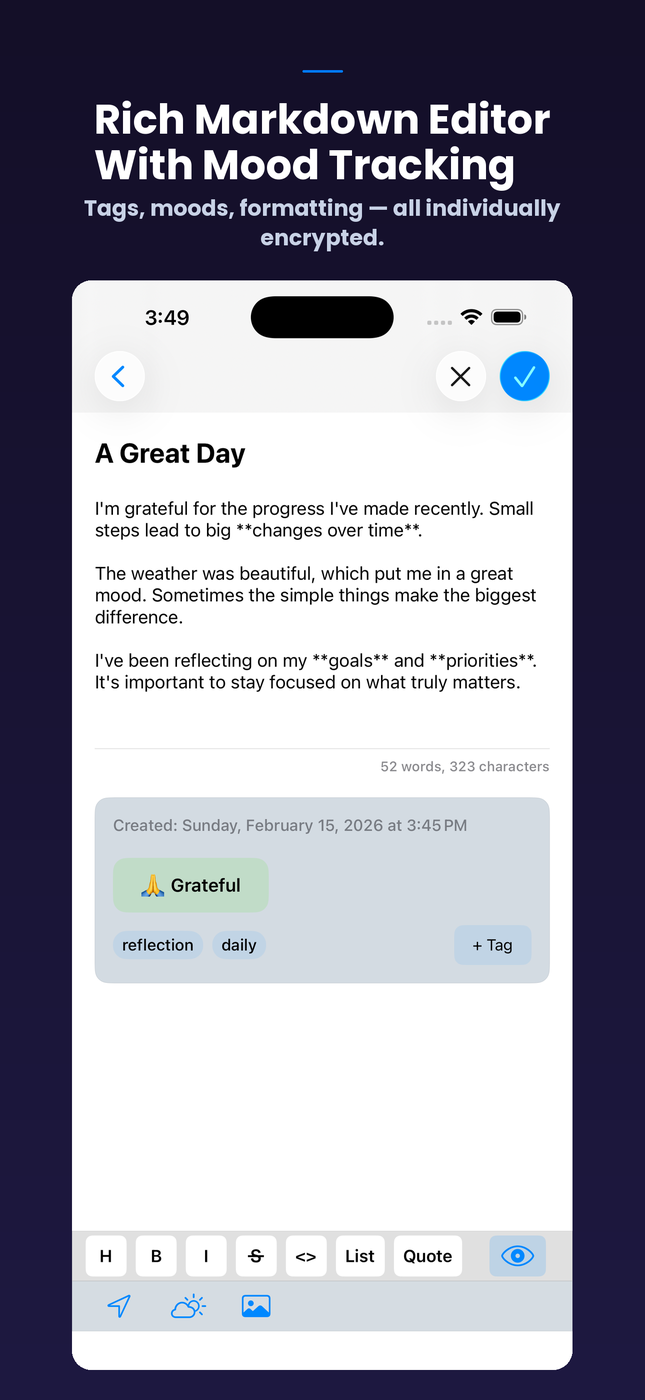
Writings unifies private notes and journal-style entries, while Planner brings agenda, task, and event planning into the same encrypted workspace. Custom Vaults, Identity Vault, Card Vault, Link Vault, Travel Vault, Vehicle Vault, habits, contacts, and emergency records keep structured personal data organized.
Secure Media, Files & Scanner Workflows
Encrypt files, photos, videos, and voice recordings. Secure Media handles private capture, playback, metadata viewing, and clean-share workflows. Secure Scanner brings QR scanning plus OCR-assisted ID and business-card capture into one place so scanned data can move directly into encrypted storage.
Real and Decoy Vaults
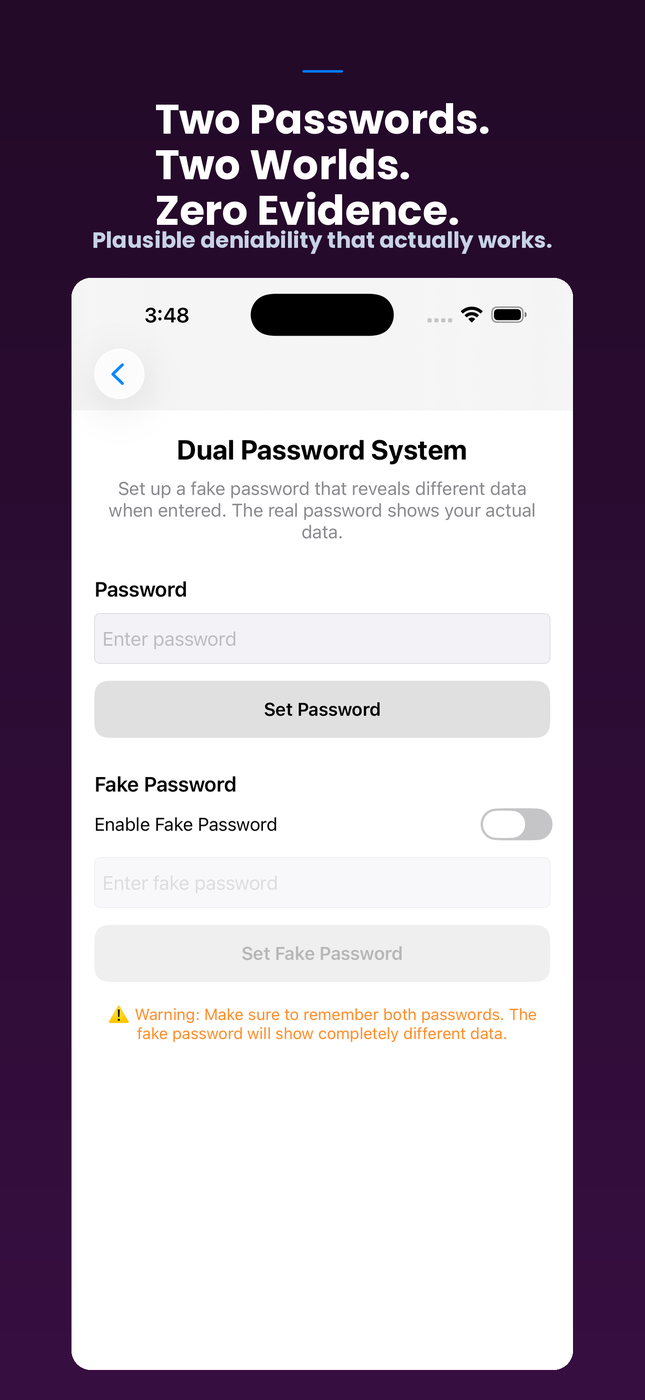
Optional fake-password mode lets one password open the real vault and another open a separate decoy vault. Mode-aware storage, search, favorites, imports, exports, and routing keep the active data set isolated, supporting plausible deniability when the user needs it.
Encrypted Sync and Recovery Tools
Sync supported vault data directly between trusted iPhone, iPad, and Mac devices over encrypted peer-to-peer connections, without LockWhisper servers. Key backup, key import, undecryptable data recovery, auto-destruct, jailbreak/debug checks, and Security Center reporting help keep the vault maintainable and hardened.
Keep Your Private Data Under Your Control
Passwords, 2FA, notes, files, PGP, planning, secure media, and vault records, encrypted locally on iPhone, iPad, and Mac.
Download on App StorePrivacy Tools & Modules
Passwords
Encrypted credentials, password details, generators, favorites, and password security workflows.
Authenticator
TOTP and HOTP accounts, otpauth import, verification codes, and YubiKey OATH surfaces.
PGP
PGP key management, encrypted conversations, contact keys, signatures, import/export, and setup guidance.
Secure Clipboard
Encrypted clipboard history and sensitive clipboard item management.
Identity Vault
Encrypted identity records and identity document storage.
Card Vault
Encrypted payment card, wallet-style, and financial records.
File Vault
Encrypted file storage with folders, previews, hidden items, compression, and diagnostics.
Link Vault
Encrypted saved links with organization, details, and private browsing context.
Travel Vault
Secure storage for passports, visas, trips, itineraries, and travel documents.
Vehicle Vault
Encrypted vehicle information, registrations, insurance, maintenance, and related records.
Custom Vaults
User-defined secure record types for private data that does not fit a built-in module.
Contacts
Encrypted contact details with private fields and import/export support.
Secure Browser
Private browsing surface with secure history and bookmark handling.
Writings
Unified writing surface for encrypted notes, journal-style entries, and private text records.
Planner
Agenda, tasks, and event planning built for private schedules and reminders.
To-Do List
Encrypted task lists, completion tracking, priorities, and favorites.
Habit Tracker
Private habit tracking, streaks, statistics, and routine progress.
Secure Media
Encrypted photos, videos, voice memos, import flows, metadata viewing, and clean sharing.
Secure Scanner
Unified scanner hub for QR codes, IDs, business cards, OCR, and scanner routing.
Business Card Scanner
Business card capture with encrypted storage, search, contact export, and import/export support.
Medical ID Scanner
Medical ID and health-card capture for sensitive health records.
Emergency Info Card
Encrypted emergency profile, emergency contacts, allergies, medications, and insurance details.
Security Center
Security score, findings, remediation tasks, readiness state, and vault-hardening guidance.
QR Code Tools
Generate and scan QR codes, including secure routing into supported vault workflows.
Photo Metadata Cleaner
Strip EXIF, location, and device metadata from photos before sharing.
CSV Password Importer
Import credentials from password managers that support CSV export.
Who LockWhisper Is For
Journalists and researchers can protect sources, notes, files, PGP keys, and private communications without handing vault contents to a cloud service. The app keeps sensitive work local unless you explicitly export it or sync it directly to another trusted device.
Lawyers, doctors, therapists, accountants, and other professionals with confidentiality obligations can keep client files, notes, contacts, and communications in encrypted local storage without trusting a cloud provider with that information.
Travelers and expats can keep passports, itineraries, identity records, emergency information, and sensitive notes available offline. Optional fake-password mode supports a separate decoy vault for situations where plausible deniability matters.
IT professionals and developers can keep credentials, API keys, 2FA codes, recovery material, server notes, files, and PGP keys together in one local-first workspace.
Anyone who has been through a data breach and decided they are done storing everything with remote services can use LockWhisper as a broad personal privacy toolkit with no LockWhisper account and no app tracking.
What Changed in v8.1
The customizable dashboard now supports layout presets, visual density, module grouping, widget resizing and reordering, hidden cards, pinned favorites, and a full reset. Common local actions are easier to reach without turning the dashboard into a feed of sensitive vault contents.
Privacy-safe cards surface Security Center score, actionable findings, and backup readiness. Loading, empty, warning, and locked states are clearer so the dashboard communicates what is ready, what needs attention, and what remains protected.
Dynamic Type, VoiceOver labels, Reduce Motion behavior, higher contrast, and right-to-left layouts improve access across iPhone, iPad, and Mac. Dashboard and customization surfaces are available in English, Russian, and Arabic.
Encryption Architecture
LockWhisper stores supported sensitive data locally and encrypts vault content before persistence. The active authentication mode controls which data set is visible, so real-mode and fake-mode storage stay separated.
Shared security infrastructure handles encryption, key lookup, fake-mode routing, favorites, search indexing, imports, exports, themes, and Pro gating. Version 8 improves key backup, key import, recovery workflows, encrypted search, favorites, and undecryptable data handling.
Security Center highlights vault findings and actions that can improve protection. Auto-destruct, recovery options, jailbreak checks, debug checks, and YubiKey-assisted workflows provide additional layers for users with higher-risk threat models.
Real and Fake Password Modes
LockWhisper includes an optional fake-password system. Your real password opens your private vault, while a separate fake password opens a decoy vault with separate data.
The active mode routes storage, search, favorites, imports, exports, and module navigation to the correct data set. This means the decoy vault behaves like a real workspace without exposing the private vault behind it.
Version 8 improves fake-password routing and related UI flows so the system works more consistently across the redesigned dashboard and consolidated modules.
Device Sync Without the Cloud
LockWhisper syncs supported data between trusted devices over encrypted peer-to-peer connections. There is no LockWhisper account and no central cloud database for vault contents.
Sync is a deliberate user action for trusted devices. Your vault remains local unless you choose to export it or move supported data directly to another device you control.
This gives iPhone, iPad, and Mac users a way to keep private workflows portable without making LockWhisper a cloud service.
Import, Export and Migration
Switching to LockWhisper does not mean starting over. CSV password import helps migrate credentials from password managers and browsers that support CSV export.
Version 8 polishes import flows, vault actions, wallet cards, calendar navigation, custom vaults, key backup and import, and migration handling. Scanner workflows can capture cards, IDs, QR codes, and OCR text for secure storage.
Pricing
LockWhisper is free to download with core privacy tools available for everyday use. The Pro upgrade is a one-time purchase for advanced modules and premium security features. No subscriptions, no recurring account fee, and no LockWhisper cloud account required.
What's New in v8.1
A faster, clearer dashboard built around the way you work.
Dashboard Customization
Customize, resize, reorder, hide, or reset widgets. Choose layout presets and visual density, group modules, reach common local actions faster, and pin favorite vault items.
Security at a Glance
Review your Security Center score, actionable findings, and backup readiness from privacy-safe dashboard cards.
Clearer Dashboard States
Loading, empty, warning, and locked states now make it clearer what is ready, what needs attention, and what remains protected.
Accessibility and Languages
Improved Dynamic Type, VoiceOver, Reduce Motion, contrast, and right-to-left layouts, with dashboard customization available in English, Russian, and Arabic.
Also includes stronger privacy isolation, safer migration from version 8, and performance, reliability, and stability improvements across iPhone, iPad, and Mac.
From the Blog
LockWhisper v8.1: Build a Security Dashboard Around Your Priorities
LockWhisper v8.1 adds resizable and reorderable widgets, layout presets, visual density controls, module grouping, pinned favorites, and a full dashboard reset.
Read article →PrivacySecurity Score and Backup Readiness on a Privacy-Safe Dashboard
LockWhisper v8.1 brings Security Center score, actionable findings, and backup readiness to privacy-safe dashboard cards with clearer warning and locked states.
Read article →AccessibilityAn Accessible Encrypted Vault: Dynamic Type, VoiceOver, Reduce Motion, and RTL
LockWhisper v8.1 improves dashboard access with Dynamic Type, VoiceOver labels, Reduce Motion, higher contrast, right-to-left layouts, Russian, and Arabic.
Read article →Product UpdatesLockWhisper v8 Turns Scattered Private Data Into One Encrypted Workspace
LockWhisper v8 is built for more than passwords: notes, journals, PGP, files, secure media, identity records, links, plans, emergency info, habits, and private tasks all get a clearer encrypted home.
Read article →FeaturesWhat LockWhisper v8 Adds: Writings, Planner, Secure Media, and Secure Scanner
LockWhisper v8 expands the app around everyday private workflows: writing, planning, encrypted media, QR tools, ID capture, business cards, OCR, and cleaner routing into secure storage.
Read article →PrivacyLockWhisper v8 Keeps the Vault Local: No Cloud Account, No App Tracking
LockWhisper v8 keeps its security promise straightforward: supported vault data is encrypted locally, sync is device-to-device, and there is no LockWhisper cloud account or app tracking.
Read article →
Keep Your Private Data Under Your Control
Passwords, 2FA, notes, files, PGP, planning, secure media, and vault records, encrypted locally on iPhone, iPad, and Mac.
Download on App Store Privacy Policy